Barcode tracking header

Barcode Tracking

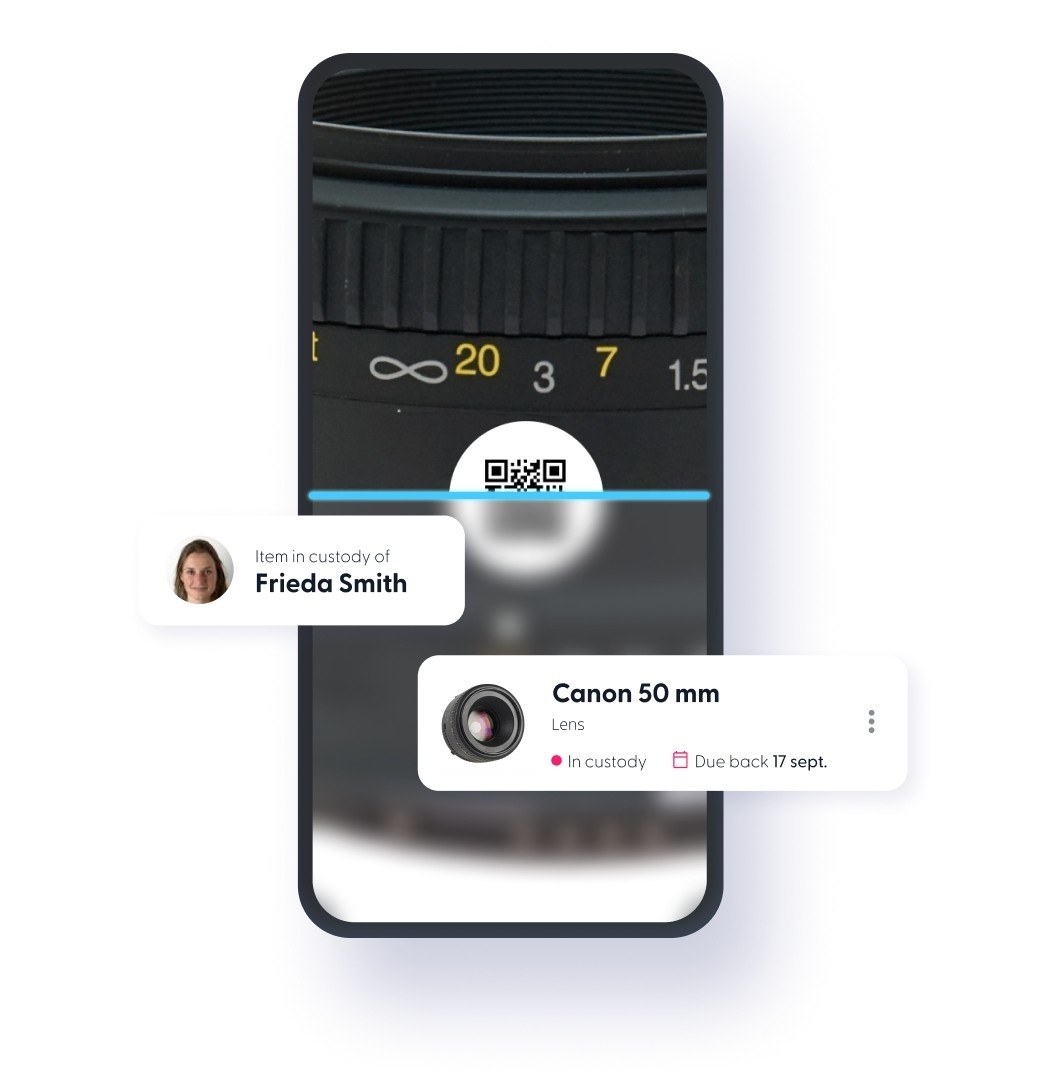
A barcode tracking system gives you real-time control over your assets. Scan barcodes to update an asset’s location, view equipment details, or check out items instantly using barcode inventory tracking software.

TL;DR

Barcode tracking and QR code tracking are the same thing: a unique label linked to a digital asset record that updates in real time when scanned. You don't have to pick one. Cheqroom supports both barcode and QR code labels on the same account, even the same inventory, and reads either one straight from your phone's camera with no dedicated hardware. Asset labels are a per-item choice, not an account-wide setting, so teams can keep existing barcode stock while adding QR labels for new gear, or standardize on one format if they'd rather.

What is a Barcode Tracking System?

A barcode tracking system,(or a QR code tracking system), uses barcode (or QR Code) labels and scanning software to track physical assets. Each asset receives a unique code linked to a digital record that updates location, status, and user assignment in real time with a quick scan. Barcode (or QR code) inventory tracking works across smartphones without specialized hardware and is common in IT, AV, and university environments.

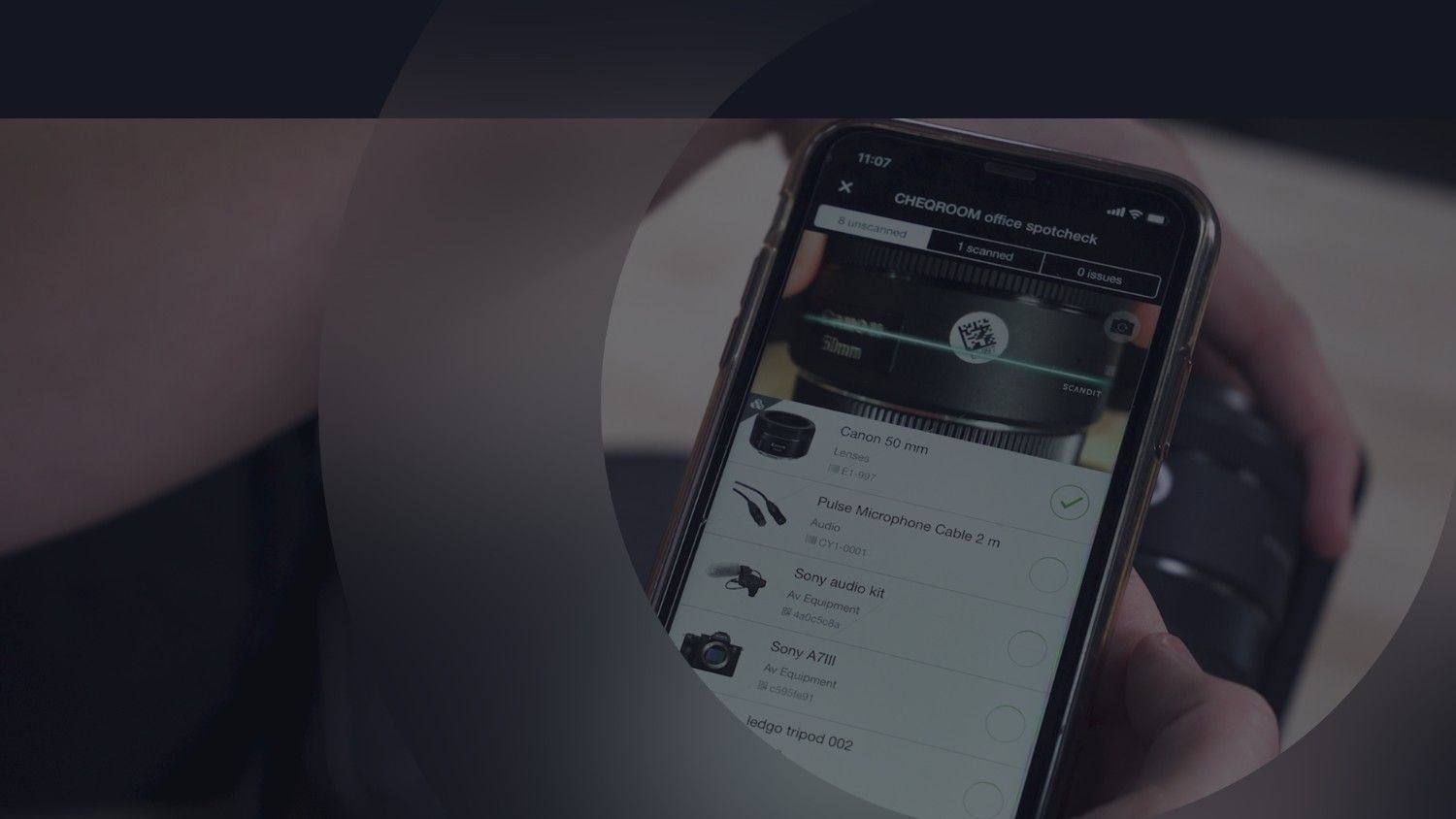
Barcode tracking is always done in combination with barcode scanning software. Have a look at what Cheqroom has to offer, below.

Built in scanner

Benefits of Barcode Tracking

  • Eliminates manual data-entry errors during check-in and check-out
  • Cuts inventory audits from hours to minutes, spotcheck a whole location with one scan instead of counting by hand
  • Reduces equipment loss and improves accountability, since every scan is logged to the asset's history
  • Prevents duplicate records during bulk onboarding, Cheqroom's "Match on Barcode" import option catches duplicates automatically when migrating from spreadsheets
  • Connects to maintenance tracking, a flagged issue from a scan becomes a trackable work order, not just a note

What Barcode Tracking Connects To

Every scan feeds data into the rest of Cheqroom, here's where it goes.

Asset maintenance

Plan your Asset Maintenance

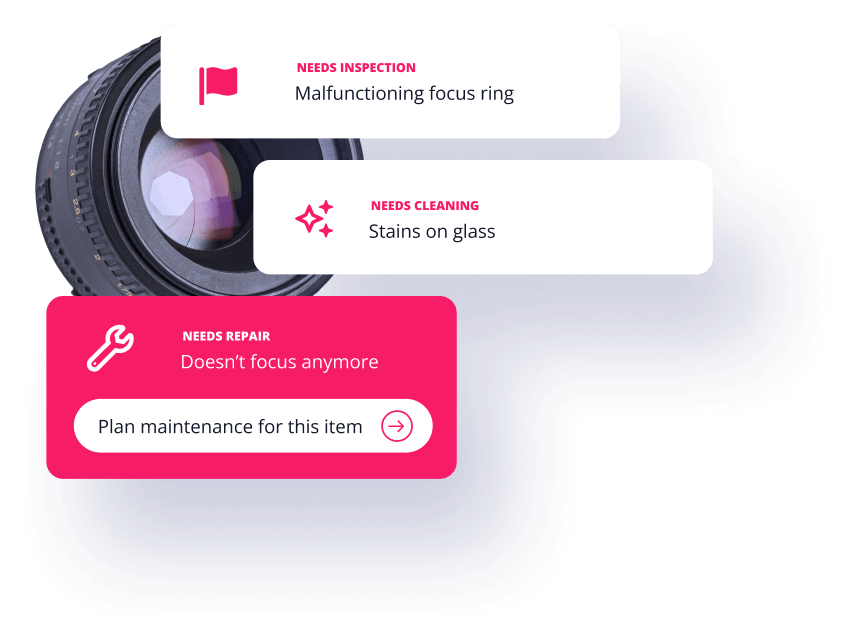
Barcode inventory tracking connects maintenance workflows directly to each asset record. Users can flag damaged equipment or report issues inside the app, triggering automatic notifications to the assigned repair manager. The assigned owner can create a maintenance work order or ticket to track repair status. Each repair update is logged under the asset’s barcode, creating a complete maintenance history that supports lifecycle tracking and accountability.

Feature - Items in custody

Assignment & Custody

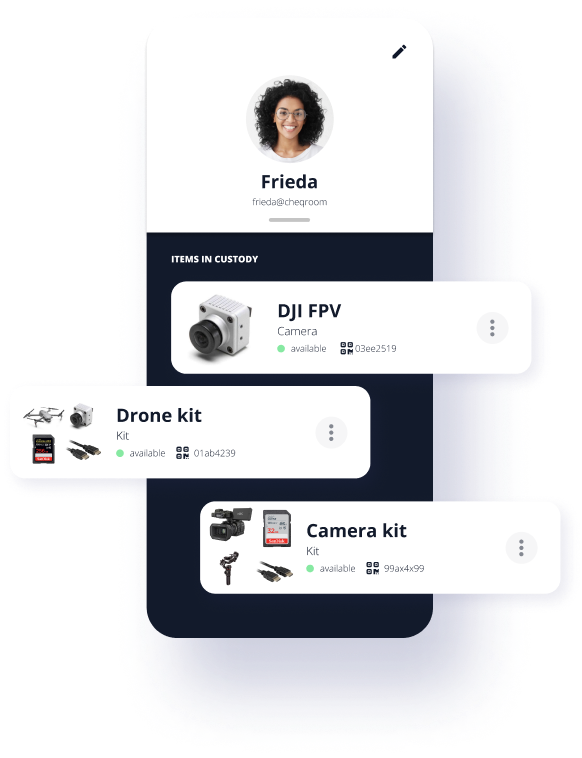
Not every hand-off needs a full reservation. Custody lets you assign an item to a person for long-term or open-ended use, a laptop with an employee, a camera with a department lead, without blocking it from being booked or reserved later. A quick barcode scan updates who's holding what, and every change is logged to the item's history for a clear audit trail.

Equipment reservations

Take Control of Equipment Booking

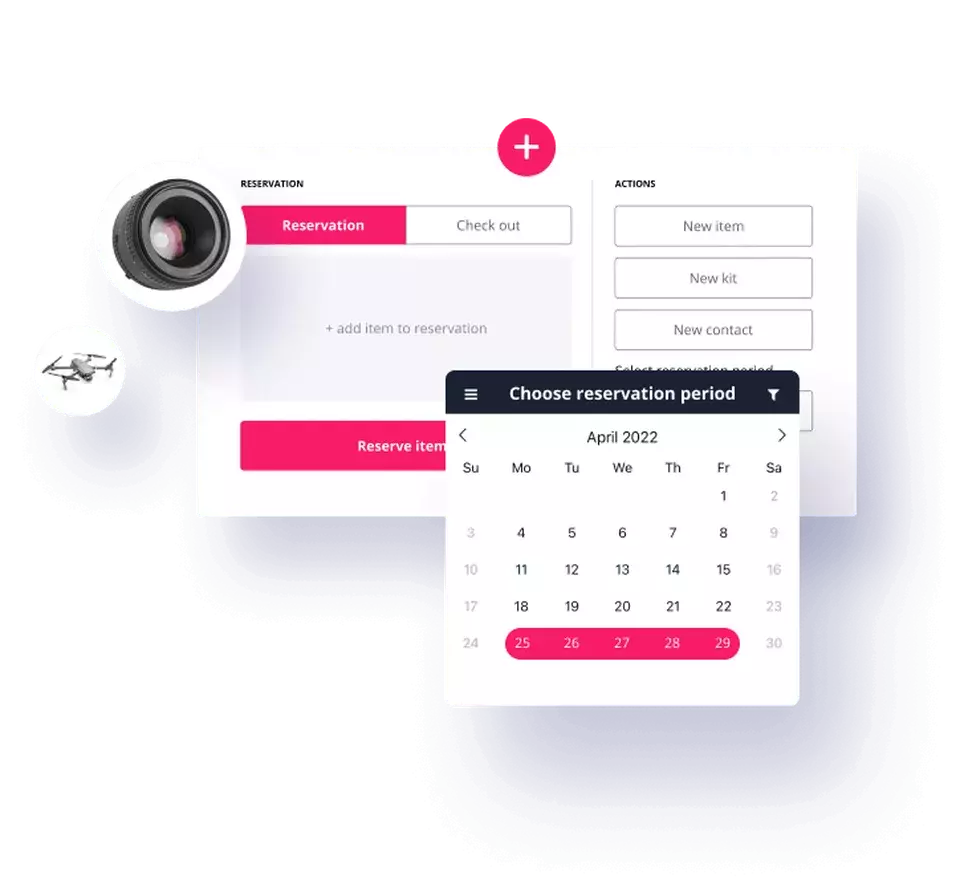
Reservations sync with your calendar in real time, so equipment scheduling stays accurate and double bookings stay out of the picture. Teams can view availability, create self-service reservations, and check equipment in or out directly from the schedule. Equipment booking permissions remain flexible, giving managers control over who can reserve specific assets while keeping collaboration smooth.

Asset usage reports

Get Real-Time Asset Usage Insights

Track how equipment is used, when it is in demand, where it moves, and who is responsible for it. Usage data highlights peak periods, equipment checkout frequency, overdue returns, and pending repairs, helping teams plan ahead and allocate assets more effectively. Clear visibility into activity improves accountability and supports on-time equipment returns.

RFID scanner equipment picking

Need to Scan More at Once? Try RFID

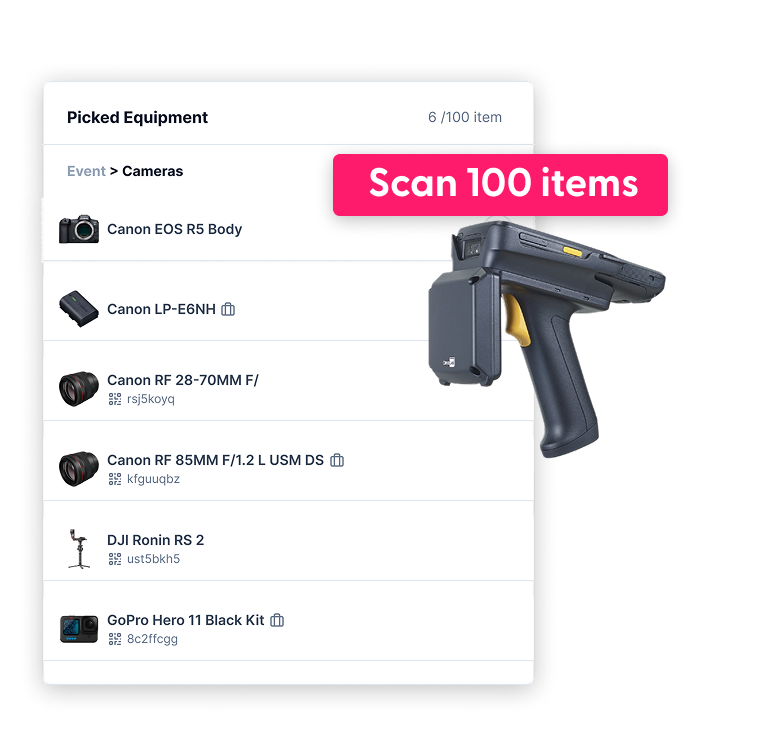
Scanning one item at a time works great, until you're auditing hundreds of assets in one pass. RFID picks up where barcode scanning tops out: a handheld reader reads dozens of tags at once, no line of sight needed. Cheqroom fully supports RFID scanning in the mobile app, and most teams keep their barcodes or QR codes as a backup even after adding RFID.

Testimonial

Barcode tracking is really helpful in identifying assets: you know exactly which piece of equipment you need because it’s tagged. It’s just easier to find stuff.

Matt Huesmann Lipscomb University

Frequently Asked Questions

  • Yes. Cheqroom works with both barcodes and QR codes for fast check-ins, check-outs, and inventory updates. Your team can scan labels using the built-in mobile scanner or use external USB/Bluetooth scanners with the web app. You have the choice to use your own existing barcodes or have Cheqroom automatically generate QR codes for every item.

  • Barcode scanning requires you to scan each item one by one with a direct line of sight. This is great for individual check-outs and returns, but can become tedious and time consuming for large jobs. RFID enables bulk scanning, allowing you to scan hundreds of items at once with a single sweep, even when they're inside cases or behind other equipment.

  • Cheqroom supports both, but the choice depends on your workflow. Barcodes are ideal for individual item identification during manual check-outs, while RFID allows for "bulk actions"—scanning an entire kit bag in seconds without opening it. Cheqroom’s mobile app turns your smartphone into a scanner for both, ensuring data flows instantly into your inventory records.

  • No. You can keep the labels you already have. When you add items to Cheqroom, enter your existing barcode or QR code on each item, or bring them all in at once with a bulk CSV import that includes a barcode column. From then on, your team scans the same labels to check gear in and out and run spotchecks.

  • Both. The Cheqroom Asset Label Store sells durable, pre-printed labels in several sizes, including cable labels, that are already linked to your Cheqroom account. You just peel, stick, and scan. If you'd rather use another supplier, that works too. Add the codes from your labels to your items in Cheqroom, one at a time or through a bulk import, and your team can scan them right away.

  • Cheqroom works with the most common barcode and 2D code formats: Code 39, Code 128, EAN-8, UPC-12, PDF417, DataMatrix, and QR codes that contain plain text. Each code needs to be between 4 and 43 letters or numbers long. QR codes that hold a website link, contact card, or other data aren't supported, but Cheqroom can generate its own QR codes for any item that needs one.

  • No. Cheqroom pricing is based on the number of admins, not on how many items you track. Every plan includes unlimited items and unlimited users, so you can barcode and scan as much equipment as you need at no extra cost. The only extra cost is for physical labels, if you choose to buy them from the Cheqroom Asset Label Store. You're also free to keep your existing labels.

  • Yes. Barcodes are optional in Cheqroom. You can add items, make reservations, and check equipment in and out by searching for items by name, category, or location in the web or mobile app. Barcodes and QR codes simply make it faster: scanning an item takes seconds, which helps a lot at busy checkout windows and during inventory counts. You can start without labels and add them later, or use RFID tags instead on plans that include RFID.

  • Just three things:

    1. Labels. Use the barcodes or QR codes you already have, order pre-printed labels from the Cheqroom Asset Label Store, or buy them from any supplier in a supported format.
    2. Your codes in Cheqroom. Link each code to its item. You can scan it with the mobile app as you label the item, or import all your codes at once with a CSV file.
    3. A scanner. The free Cheqroom mobile app uses your phone's camera, so you don't need extra hardware. If you prefer a dedicated device, you can connect a 2D barcode scanner by USB or Bluetooth.

See Our Barcode Tracking System In Action

Schedule a demo today!