















Education with Blur
Higher Education & Universities

Equipment Operations for Higher Education

From media labs to science departments, Cheqroom keeps your campus equipment moving so students and faculty never get stuck waiting on gear.

From Chaos to a Single Source of Truth

Your Campus Has the Equipment. Cheqroom Makes Sure Students Can Use It.

Managing shared equipment across departments, buildings, and campuses is one of the most underestimated operational challenges in higher education. Film students wait on cameras already checked out. Lab managers don't know which department has the centrifuge. Faculty prep for class only to find gear missing or broken.

Cheqroom gives your university or college a single, real-time view of every piece of equipment — who has it, where it is, when it's coming back, and whether it's ready to use. No more spreadsheets. No more phone calls. No more gear that goes missing for a semester.

Education featured
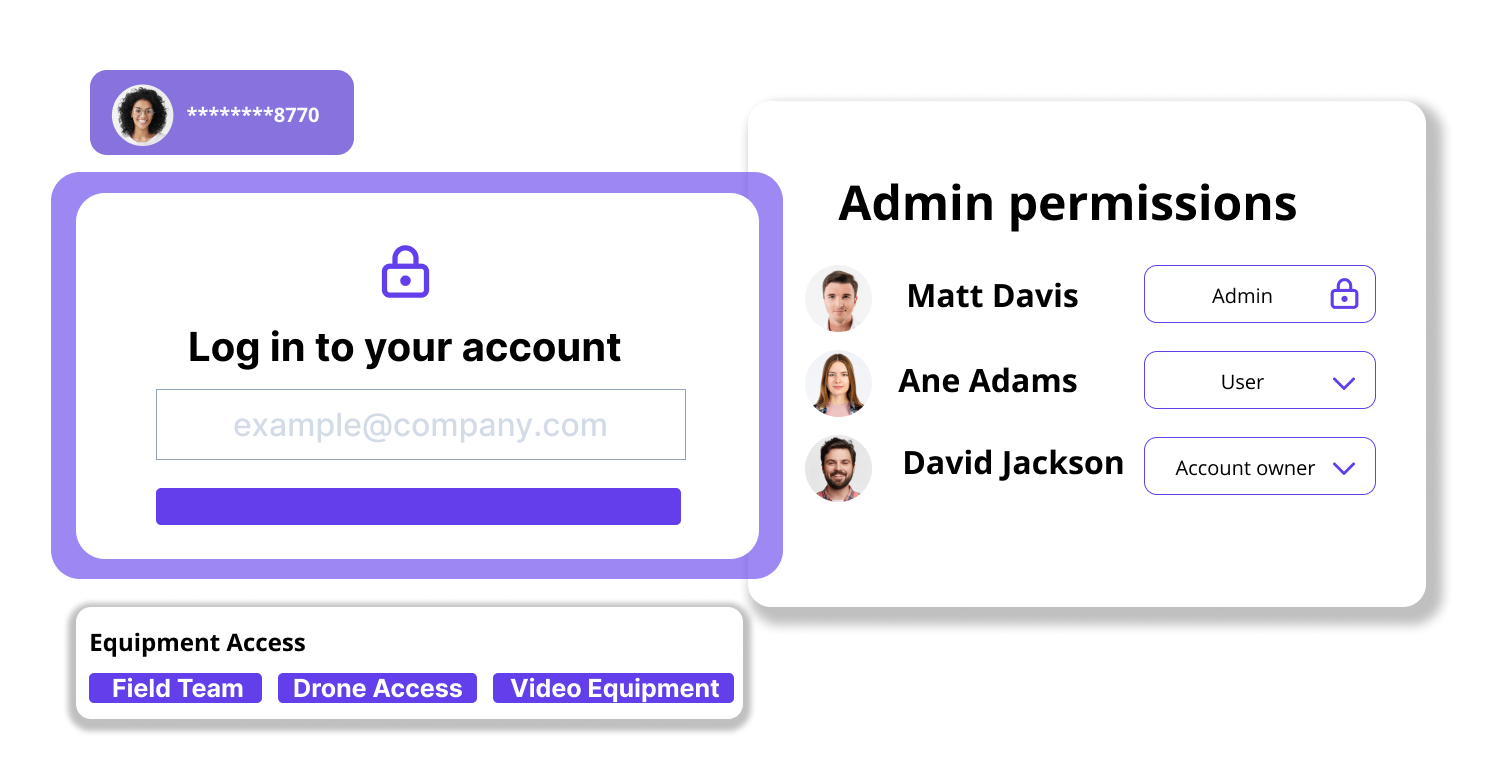
User Access Admin
Advanced Control & Security

Give Every Department the Right Level of Access Without Losing Control

  • Approvals by department or equipment type: Require faculty sign-off before a grad student can borrow a RED camera. Set different rules for intro classes versus advanced production students.
  • Role-based access for every campus user type: Configure access for undergrads, grad students, faculty, lab TAs, and staff — each with different booking rights, time limits, and equipment categories.
  • SSO integration with your campus identity system: Connect to your institution's existing SSO so students log in with their campus credentials without creating a new account.
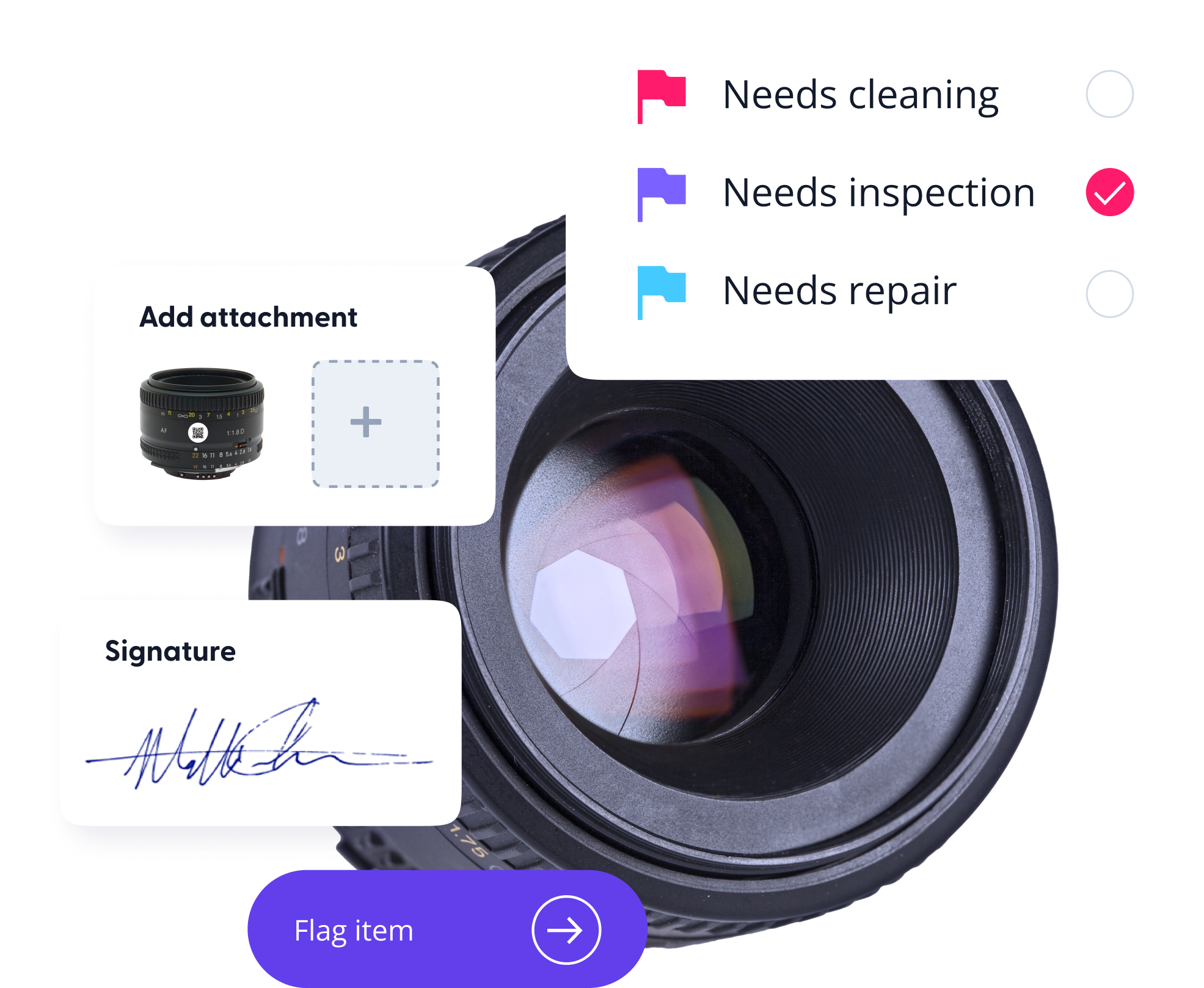
  • Digital loan agreements at checkout: Auto-generate equipment liability waivers that students sign on their phone before picking up gear. Creates a time-stamped, legally-backed record each time.
Reservation
Self-Serve Reservations

Students Book Their Own Gear. You Stop Playing Coordinator.

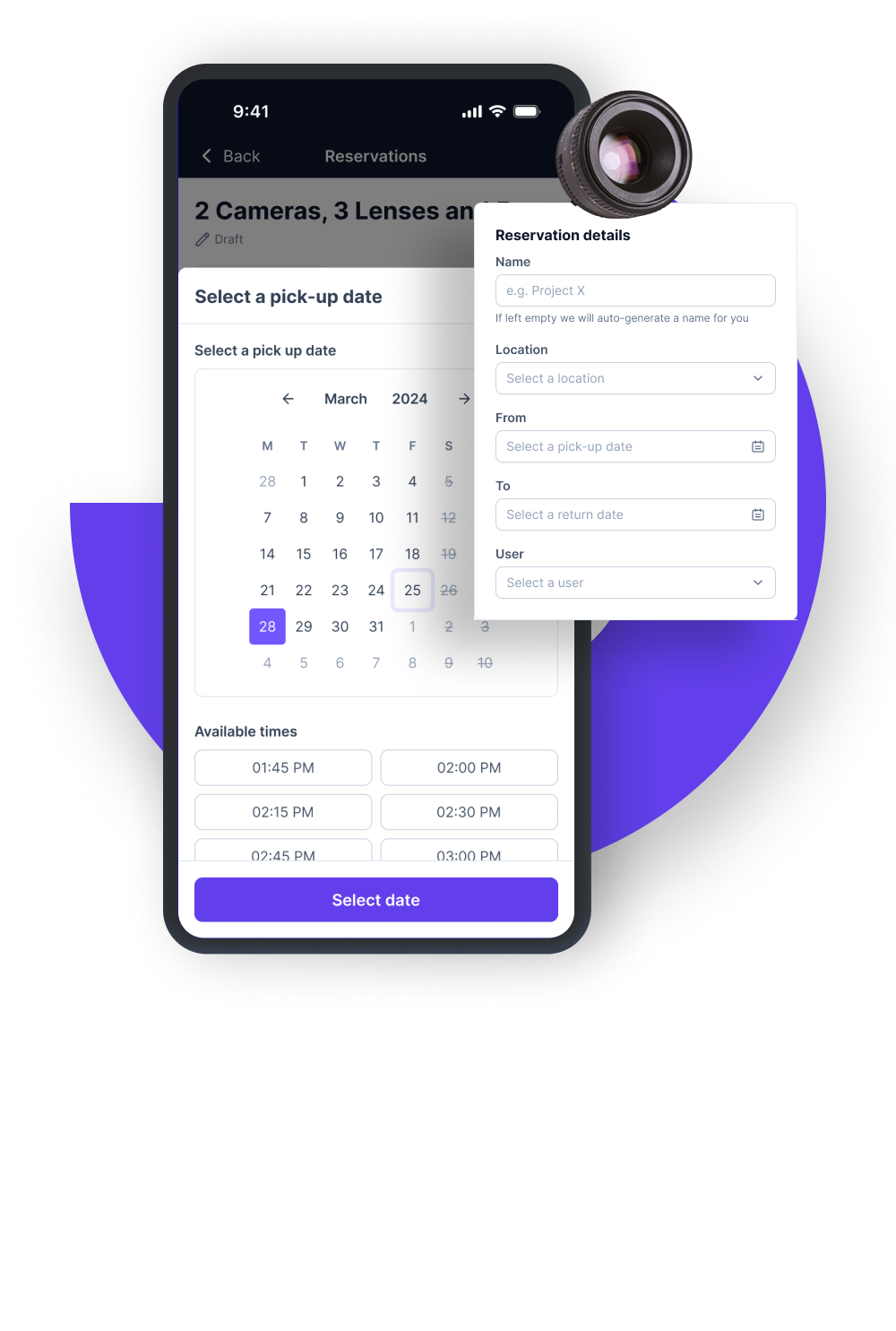
  • A browsable equipment catalog students can actually use: Students see what's available, when it's free, and where to pick it up from their phone or booking portal, before they ever step on campus. Works for cameras, lighting kits, audio recorders, VR headsets, lab instruments, and more.
  • No more double-bookings or "it was already taken" surprises: Real-time availability prevents conflicts at the moment of booking — not after the student shows up. Course deadlines don't wait; neither should your reservation system.
  • Automated pickup and return reminders via SMS or email: Reduce late returns without chasing students manually. The system sends reminders before pickup time and escalates alerts when gear is overdue.
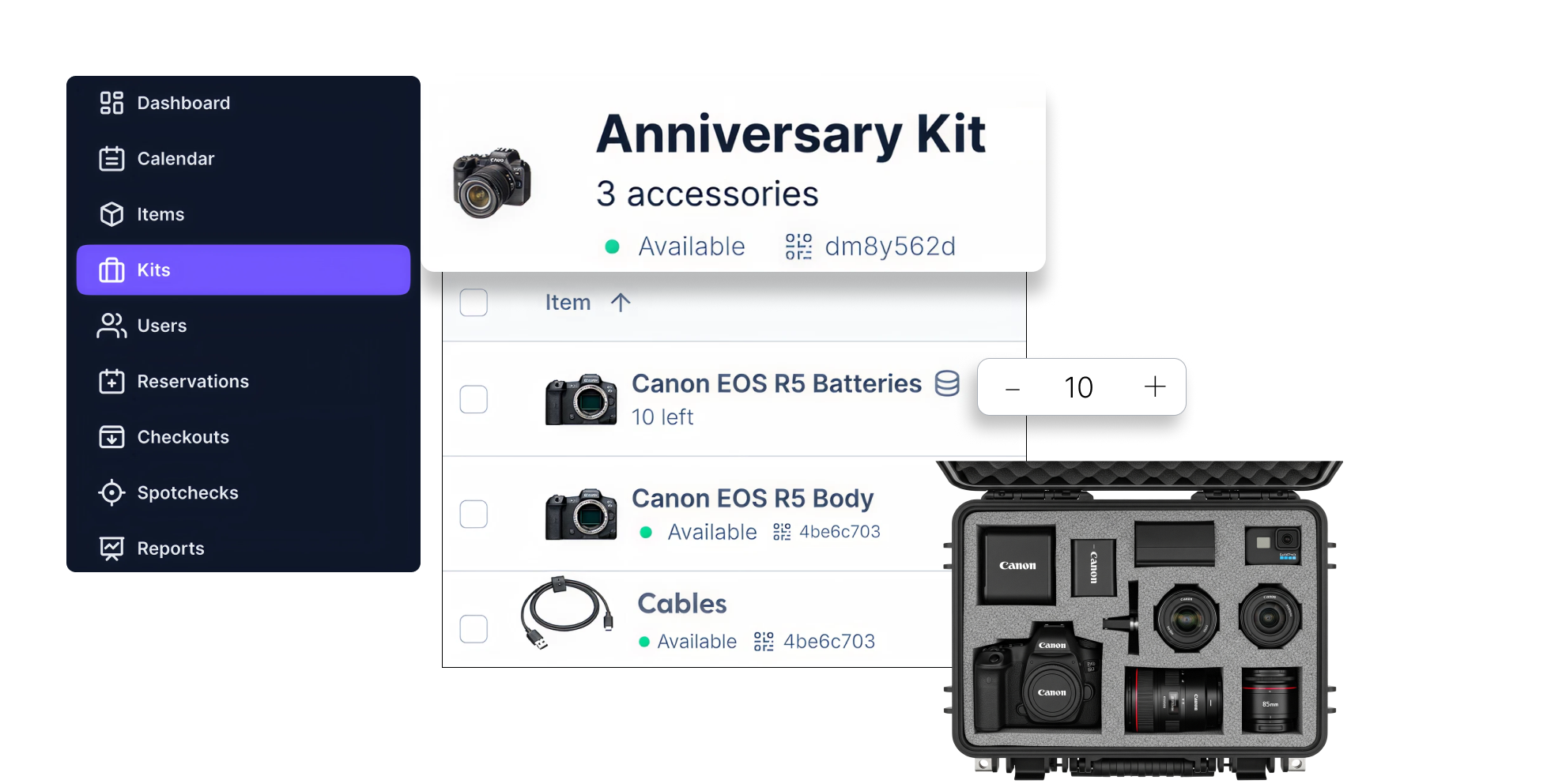
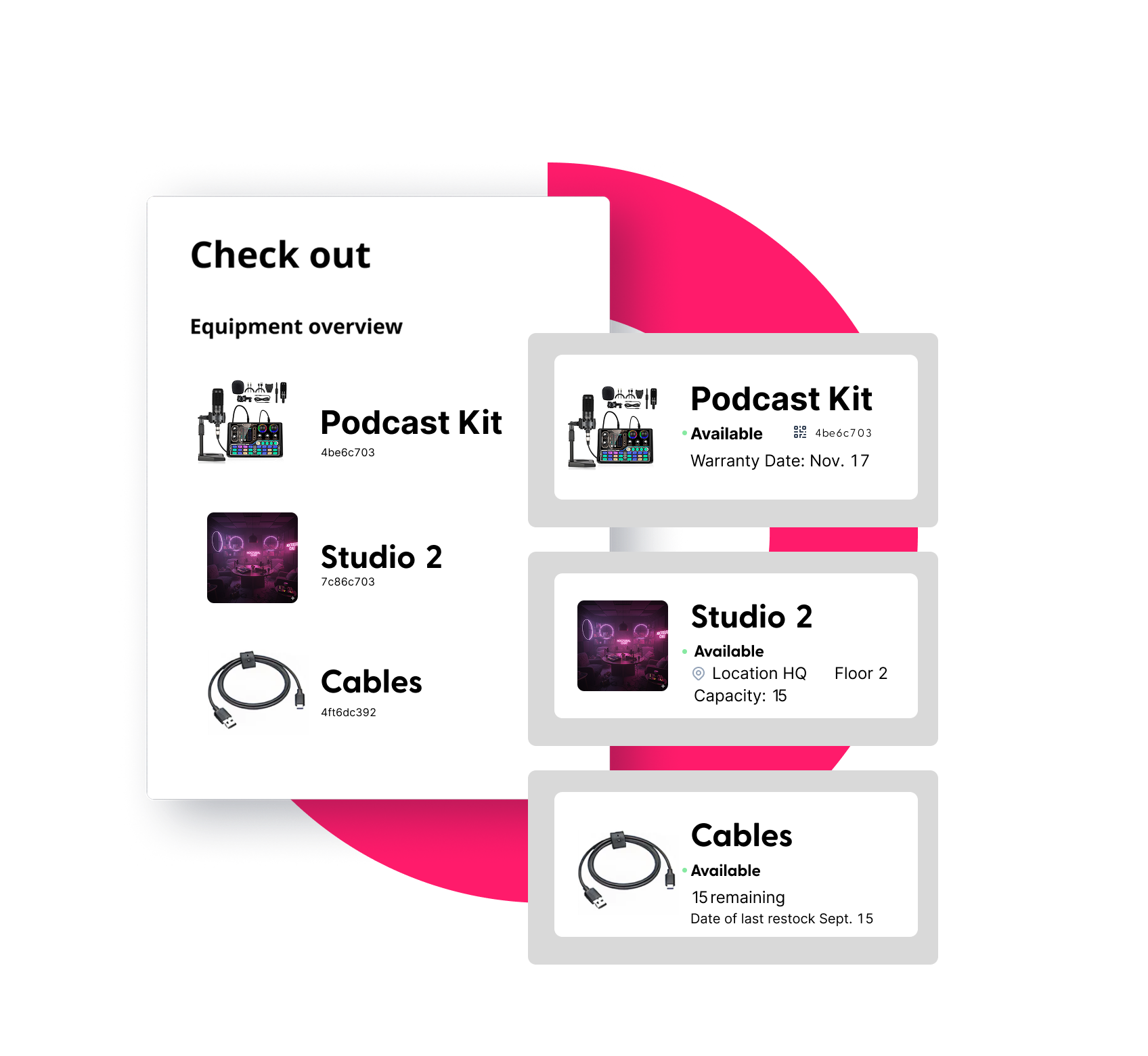
  • Equipment kits for courses and projects: Bundle cameras, batteries, lenses, and cables into pre-configured kits students reserve as a single booking.
Report
Budgeting Insights

Justify Every Equipment Purchase. Retire What's Not Earning Its Keep.

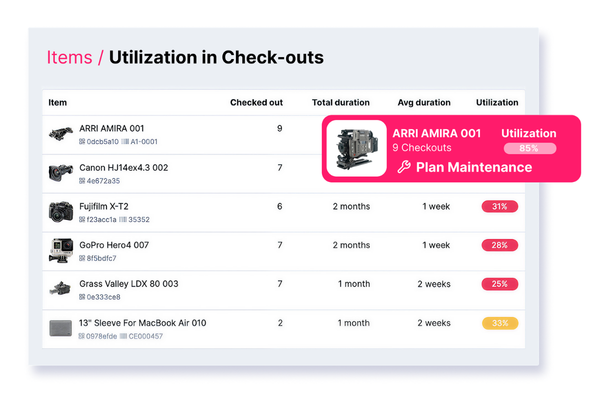
  • See utilization rates by department, equipment type, or semester: Identify which cameras are checked out constantly and which ones haven't moved in months. Make data-backed decisions about what to buy more of and what to stop buying.
  • Build the case for next year's capital requests: Export audit-ready reports showing equipment usage, depreciation, and maintenance costs. Walk into your budget meeting with evidence, not estimates.
  • Spot overdue patterns before they become policy problems: Identify which student groups, courses, or equipment categories generate the most late returns, and adjust loan periods, reminders, or access rules accordingly.
  • Track equipment across your full lifecycle, from purchase to retirement: Know when gear is aging out, how much maintenance it's consumed, and when replacement makes more financial sense than repair.

Built for the Way Campuses Actually Operate

Media Program Lab Managers

Manage checkout of cameras, audio gear, lighting kits, and editing workstations. Track what's out, flag damaged gear before next checkout, and set semester-based loan rules.

IT Departments

Track laptops, tablets, AV equipment, and accessories across buildings and departments. Manage assignment vs. shared pool gear from one system.

Science & Research Labs

Control access to specialized instruments. Know which lab section has the spectrometer, log calibration records, and schedule maintenance between semesters.

Faculty & Instructors

Reserve equipment for class demonstrations in advance. Ensure the gear they need is actually available and prepped when class starts.


How film students learn about camera gear with Cheqroom

CUNY Bronx Community College students have extra information on a piece of gear they want to use for their projects. The teachers advise them on the gear they need for their projects, while seeing what gear they booked. The program's technician tracks what gear is being used by which students, when they should return it, whether they miss gear for their project, if the gear got damaged, and much more.

Partner With a Game-Changer in Education

Stop wrestling with outdated systems and manual logs. Cheqroom empowers educators, school administrators, and IT directors with smarter, faster solutions to keep their workflows moving and their budgets intact.

45% reduction in lost or unaccounted equipment

Across institutions managing shared gear pools at multiple locations

80+ hours saved per month

For lab managers who previously tracked checkouts manually or via spreadsheet

3x faster checkout

When students use the Cheqroom app vs. manual sign-out sheets

Ready to Start Running a Tighter Operation?

Cheqroom is used by 350+ colleges and universities to manage everything from media labs and science equipment to AV gear and IT devices. Book a personalized demo and see how it works for your campus.

FAQ's

  • Most institutions are up and running quickly (3 weeks to 3 months) and the setup process is designed to minimize IT lift. You can bulk import your existing equipment inventory to get your catalog built fast, and Cheqroom's onboarding team works with you to configure your locations, departments, user groups, and booking rules from the start. Single Sign-On (SSO) setup is managed at the Account Owner level, so your IT team can connect Cheqroom to your campus identity system without disrupting student or faculty workflows. Cheqroom has consistently been recognized for ease of setup, including a G2 "Easiest Setup" award in the Mid-Market category. Our team of experts is dedicated to helping every institution get fully configured and confident before go-live.

  • Yes. Cheqroom supports Single Sign-On (SSO), which means students and faculty can log in using their existing campus credentials – no new username or password required. SSO is configured by your Account Owner, who manages organization-wide authentication settings. This makes adoption seamless across your entire student body and staff, and removes a major barrier for high-volume, high-turnover user environments like universities. Once logged in, students can immediately browse available equipment, make reservations, and manage their checkouts from the mobile app or web.

  • It prevents double bookings, reduces lost or overdue equipment, improves accountability, and eliminates inefficient manual workflows.

  • Yes — this core to Cheqroom. You can create separate locations and workspaces within a single account, allowing each department or campus to manage its own equipment pool while giving administrators a unified view across all of them. Equipment can be tracked and shared across departments, and your team can monitor movement between locations in real time. Role-based permissions mean each department can operate independently while IT or central operations retains oversight. Higher education institutions with multiple campuses or distributed labs use Cheqroom to maintain accurate inventory across every facility, facilitate cross-department equipment sharing, and reduce duplicate purchases.

  • Cheqroom is designed for the movable, shared equipment that powers hands-on learning — the gear that moves between people, departments, and buildings. On campus, that typically includes cameras, lighting kits, audio recorders, and video production gear for university media programs; laptops, tablets, and AV equipment for college IT departments and classrooms; VR/AR headsets and specialized tech for emerging programs; lab instruments and scientific equipment for science and research departments; and broadcast gear for journalism and communications programs. You can organize any of these into equipment kits — pre-configured bundles that students can reserve as a single booking — and apply custom fields to capture the specific details that matter for each equipment type.

  • Cheqroom organizations have reduced equipment loss by up to 45%. The platform creates accountability at every step: every item is checked out to a named person, with a timestamped record of who took it, when, and when it's due back. Students can sign digital loan agreements directly in the app at checkout, creating an immediate, compliance-backed record of custody. Automated SMS and email reminders go out before pickup and escalate when gear is overdue — dramatically reducing late returns. Real-time tracking gives staff instant visibility across all teams and locations, so they can follow up proactively rather than discovering something is missing weeks later. And because every item has a complete history including condition notes, flags, and spotcheck records, patterns of damage or misuse become visible before they become costly problems.

  • Cheqroom is built with enterprise-grade security, including robust data protection and user access controls. The platform supports role-based permissions so each user only has access to the information and actions appropriate for their role — whether they're a student borrowing a camera or an IT director managing the full campus inventory. SSO integration keeps authentication centralized under your institution's existing identity management system. Cheqroom publishes its security and privacy information and maintains a public status page and Trust Center for transparency. For institutions with specific compliance or data residency requirements, the Cheqroom team can walk through the technical details during a demo.