University Equipment Management: 5 Key Benefits and Best Practices
From high-end cinema cameras and STEM microscopes to musical instruments and athletic gear, university facilities manage a diverse ecosystem of tools. While these assets are essential for hands-on learning, tracking a vast, mobile inventory often feels like a losing battle against spreadsheets and sticky notes-a time-consuming distraction that shouldn't be part of the job.
Academic personnel should focus on delivering the best learning experience, not hunting for lost equipment or troubleshooting a broken item ten minutes before a lecture begins. It is in this context that a centralized equipment management system becomes a necessity for operational continuity, institutional reputation, and student satisfaction.
What is University Equipment Management?
University Equipment Management is the strategic, centralized orchestration of an institution's high-value physical assets throughout their entire operational lifecycle. While specialized for education, this discipline is known in other sectors as Asset Operations.
It integrates real-time visibility, automated reservation workflows, and proactive maintenance scheduling to eliminate data silos, ensure accountability, and maximize the ROI of educational technology.
5 Primary Benefits of Implementing University Equipment Management Software
1. Protect Your Budget and Drive Student Accountability
- The Problem: Replacing lost, damaged, or unreturned equipment is a massive drain on departmental budgets. Without a digital trail, there is no sense of ownership or personal responsibility.
- The Solution: A reliable tracking system encourages users to handle items with care. By implementing Asset Tagging (using QR codes or barcodes), universities and schools can instantly link every item to a specific user profile.
- The Cheqroom Edge: Establish an undeniable digital chain of custody by capturing signatures and agreements. By requiring students to digitally sign for equipment and agree to your terms at the moment of checkout, you foster a culture of institutional accountability. This "signed responsibility," combined with automated return reminders, prevents avoidable losses and ensures your budget is spent on new technology rather than replacements.
2. Eliminate "Human Error" with Mobile Automation
- The Problem: Manual processes are inherently risky. Relying on paper sign-out sheets or static Excel files leads to typos, double-bookings, and "spreadsheet lag," causing disruptive inaccuracies.
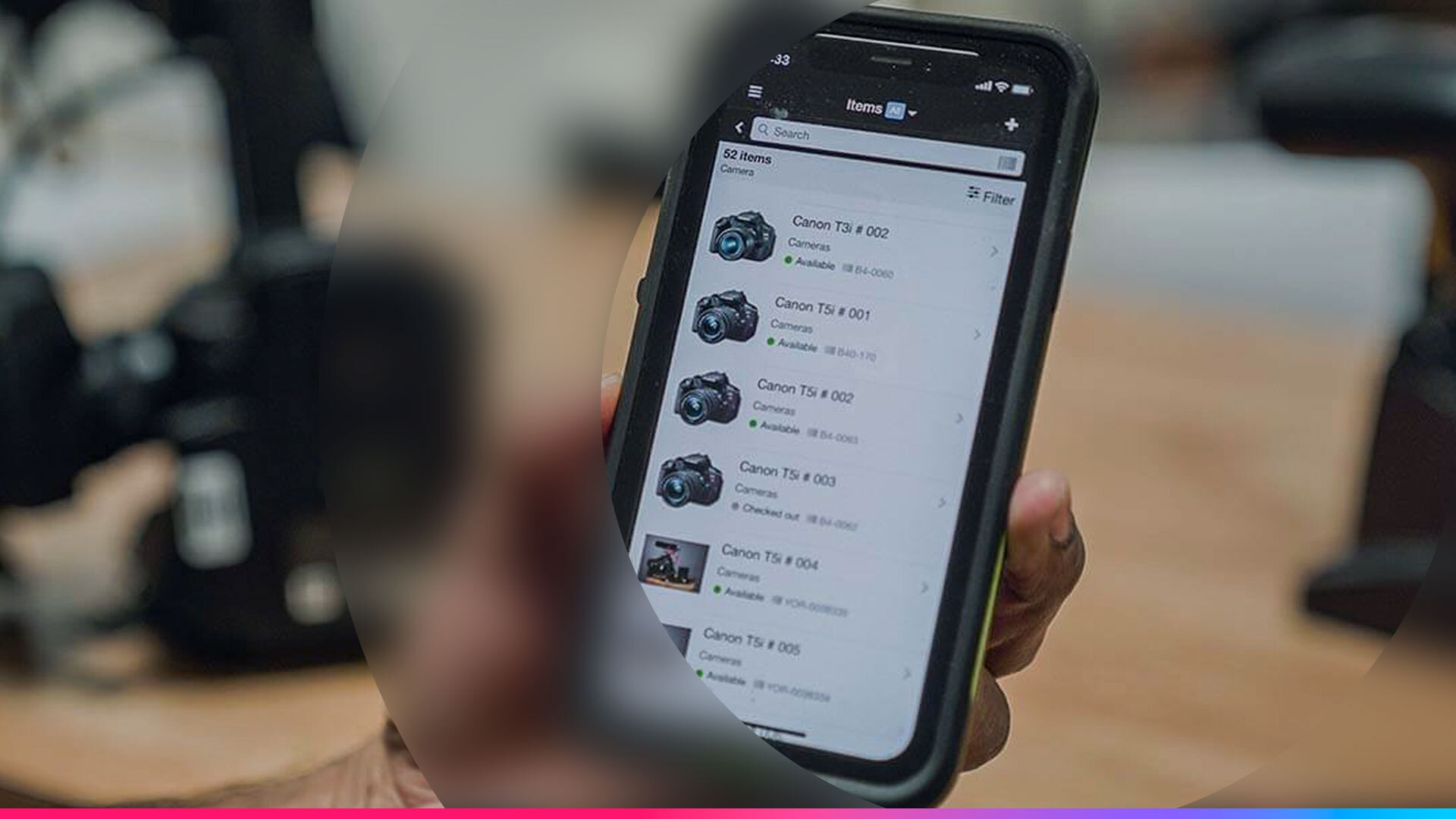
- The Solution: Transition to a mobile-friendly asset platform that supports real-time scanning. Modern software with barcode integration provides instant insights into equipment location, status, and usage history.
- The Cheqroom Edge: With the Cheqroom mobile app, lab managers can scan items in seconds. Automated data entry provides real-time visibility into who has what gear and when it’s due back, ensuring your inventory records remain 100% accurate.
3. Centralize Access for Cross-Departmental Collaboration
- The Problem: Large universities often suffer from "siloed" equipment. If the Film department is unaware of the Journalism department's inventory, the university ends up making redundant, expensive purchases.
- The Solution: A cloud-based system creates a "Single Source of Truth." Consolidating data provides students, faculty, and staff with a unified portal for inventory tracking and reservations across all campus locations.
- The Cheqroom Edge: We support Multi-Site Management. With SSO (Single Sign-On) integration, students log in using their existing school credentials, optimizing workflows and enhancing communication across departments.

4. Simplify Audits and Preventative Maintenance
- The Problem: Annual audits are traditionally the most dreaded task for faculty, as manually tracking every laptop or lens is time-consuming. Furthermore, gear that isn't regularly maintained often fails during critical student projects.
- The Solution: University equipment management software simplifies this process by providing a clear audit trail for every asset. Staff can quickly see the full history of an item, including every checkout, return, and handoff, to manage locations and schedule maintenance efficiently.
- The Cheqroom Edge: Use reporting that surfaces what’s working and what isn’t. Cheqroom gives you the "full story" for any asset, allowing you to spot "heavy hitters" (your most-used gear) and identify underused items hiding in your inventory. By quickly answering what happened, when, and with whom, you can resolve issues and ensure students never check out faulty equipment.
5. Create a Frictionless "Self-Service" Experience
- The Problem: Gear room bottlenecks occur when students must manually email staff to check availability or resolve scheduling overlaps. An organized, autonomous system is critical for smooth operations.
- The Solution: True efficiency means students can book their consumables, studio space and equipment kits in one single reservation. By centralizing facility and gear scheduling, you ensure that when a student walks into a podcast studio or edit bay, the specialized tools they need are already reserved and ready for them.
- The Cheqroom Edge: Smart scheduling ensures that assets are available when teams need them by providing a clear, real-time view of equipment status. By using self-service reservations with built-in rules, you can prevent scheduling conflicts and double bookings, allowing you to plan projects with confidence and keep every project on schedule. For students and external users who don't need full platform access, the Booking Portal provides a secure, branded storefront where they can browse available inventory and submit requests — zero training required.
One Platform for Every University Department: What Can You Track?
University equipment management extends far beyond laptops. To achieve true Asset Operations, your system must handle the diverse requirements of different academic departments:
- Media & Communications: Cinema cameras, DSLR lenses, and lighting kits.
- STEM & Research Labs: Centrifuges, spectrometers, and high-powered microscopes.
- Engineering & Design: 3D printers, CNC machines, and VR/AR headsets.
- Fine Arts & Music: Professional-grade kilns and brass or string instruments.
- Athletics: Protective gear and recording equipment for performance analysis.
Case Study Spotlight: San Bernardino Valley College (SBVC)
Before Cheqroom, the film program at SBVC struggled to track hundreds of complex assets and maintenance schedules manually, creating bottlenecks for staff and students. By moving to an automated platform:
- The Change: They implemented a mobile-first workflow using the Cheqroom Mobile App and QR code tracking to facilitate contactless checkouts.
- The Result: The department saved over 20 hours per week by eliminating manual data entry. The system provided precise accountability for their 1,200+ assets, allowing the program to stay active and even grow its enrollment during campus closures.
The 5-Step Implementation Plan for University Asset Management Excellence
Transitioning your institution from manual logs to a high-efficiency digital workflow is a straightforward process when you have a clear roadmap. Here is how decision-makers can get their campus gear rooms up and running with a professional asset operations platform.
1. Consolidate Your Data: The foundation of a successful launch is a "Single Source of Truth." Gather existing spreadsheets and export them into a clean CSV or Excel file.
2. Implement Physical Accountability: Every high-value asset needs a physical link to its digital record. Choose durable, weather-resistant QR codes or barcodes that can withstand the rigors of student use.
3. Secure Campus-Wide Access: Security is paramount when managing expensive kits. Instead of managing thousands of individual passwords, sync the software with your school’s existing identity provider (Google, Microsoft, or Okta).
4. Define Operational Rules: Establish clear "rules of the room" to ensure gear is always available. Configure checkout durations, cutoff times, and automated return reminders to keep inventory moving.
5. Deploy Mobile Workflows: Finalize the transition by moving your staff away from the desk. Equip your team with a dedicated app to enable "on-the-go" inventory management.
Conclusion: Achieving 360° Asset Excellence in University Equipment Management
As campuses become more integrated, the industry is moving away from reactive tracking toward a state of 360° Asset Operations. By analyzing usage reports, university administrators can now see exactly which gear is in high demand and which items are underutilized. This data provides the foundation for data-backed budgeting and fosters a more sustainable "circular campus" where every asset's value is maximized throughout its entire lifecycle.
Ultimately, professional university equipment management is about more than just keeping a list of items, it’s about protecting the educational mission of your institution. Whether you are managing a high-volume cinema gear room, specialized STEM laboratory instruments, or the daily flow of campus studios and consumables, the goal remains the same: eliminating administrative friction. When your equipment is always ready, always accounted for, and always functional, you empower your faculty to focus on teaching and your students to focus on creating the future.
Ready to transform your gear room?
See how Cheqroom can streamline your university equipment management workflows.

Meet Hana Belbecir, our dynamic content marketer. She infuses creativity and strategic vision into the core of our brand. Hana, passionate about storytelling and has a keen eye for market trends, is devoted to creating a unified brand identity for Cheqroom. Her favorite part? Working & brainstorming with different creatives.
More blog articles