

























Holistic Approach to Asset Management
Invoicing Workflow

Stop Guessing What Your Equipment Actually Costs

Equipment moves, gets reserved, breaks down, and eventually gets replaced. At every step, your budget is involved. Cheqroom gives you the tools to assign costs, generate invoices, and track spend without needing a separate finance tool for equipment tracking.

Your Billing Is Only as Accurate as the Data Behind It

Most teams track equipment in one tool and costs in another. Finance doesn't know which department is burning through the gear budget. Operations doesn't know what to charge back. And when someone asks what a reservation actually cost the organization, the answer takes a week to find.

Equipment Invoicing with Cheqroom

Cheqroom sits at the center of your equipment operations, so cost tracking and invoice generation happen where the work already lives: on the item record, the reservation, the purchase event, or the cost center assignment.

  • Generate invoices directly from a reservation or checkout
  • Assign costs to equipment at purchase or at any point in its lifecycle
  • Route charges to internal cost centers or to external systems via integrations
  • Track spend by item, team, project, or location
  • Build a financial picture of your equipment without a separate system

How it works

Three Ways Cost Flows Through Cheqroom

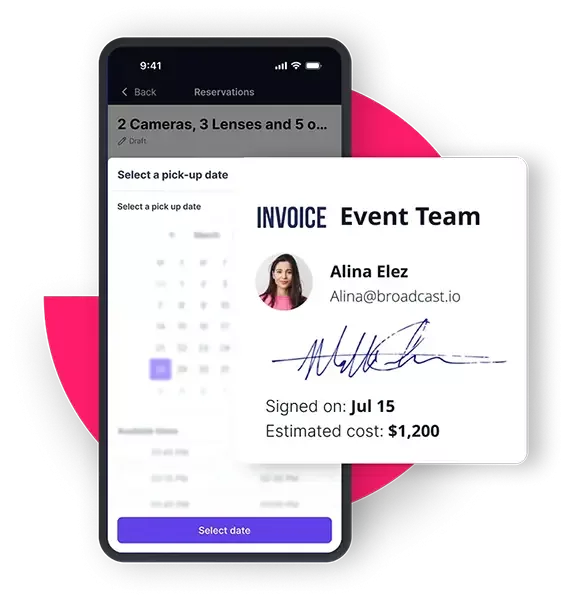
Equipment Invoicing for Event Production
Reservations and Checkouts

Attach a Cost to Every Booking

  • Assign a daily, weekly, or flat rate to any item so costs calculate automatically when it gets reserved or checked out.
  • Generate an invoice from a completed reservation with line items, quantities, and totals already populated.
  • Consolidate multiple bookings into a single billable workflow, even if they span different dates, locations, or equipment sets.
  • Sync invoices directly with your accounting tool of choice and finalize.
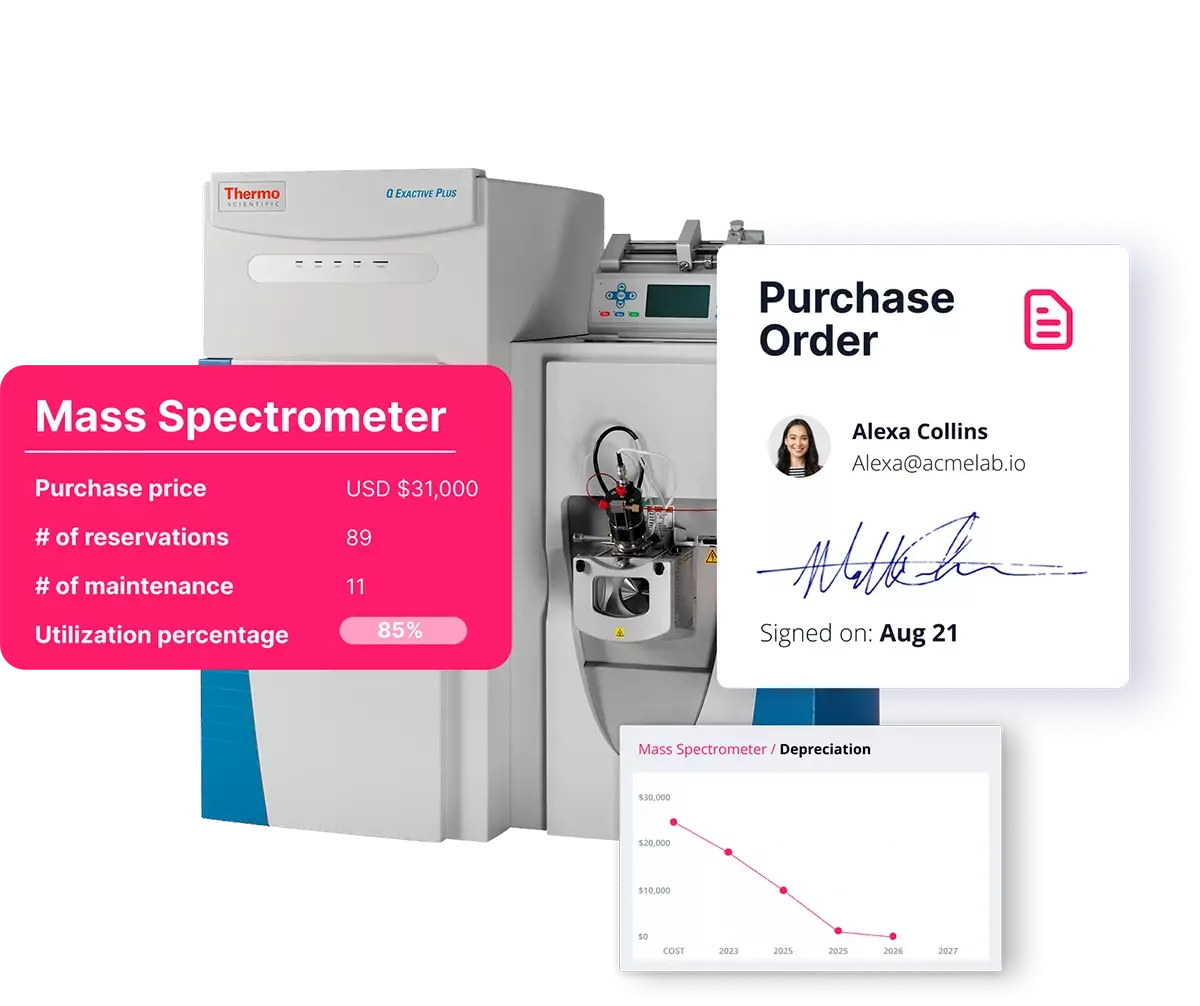
Invoicing for Equipment Purchases
Equipment Purchases and Acquisition

Capture Cost at the Point of Acquisition

  • Log purchase price, vendor, and purchase date when equipment enters your inventory.
  • Set depreciation schedules so book value stays current without manual updates.
  • Attach purchase orders, receipts, and vendor documents directly to the item record.
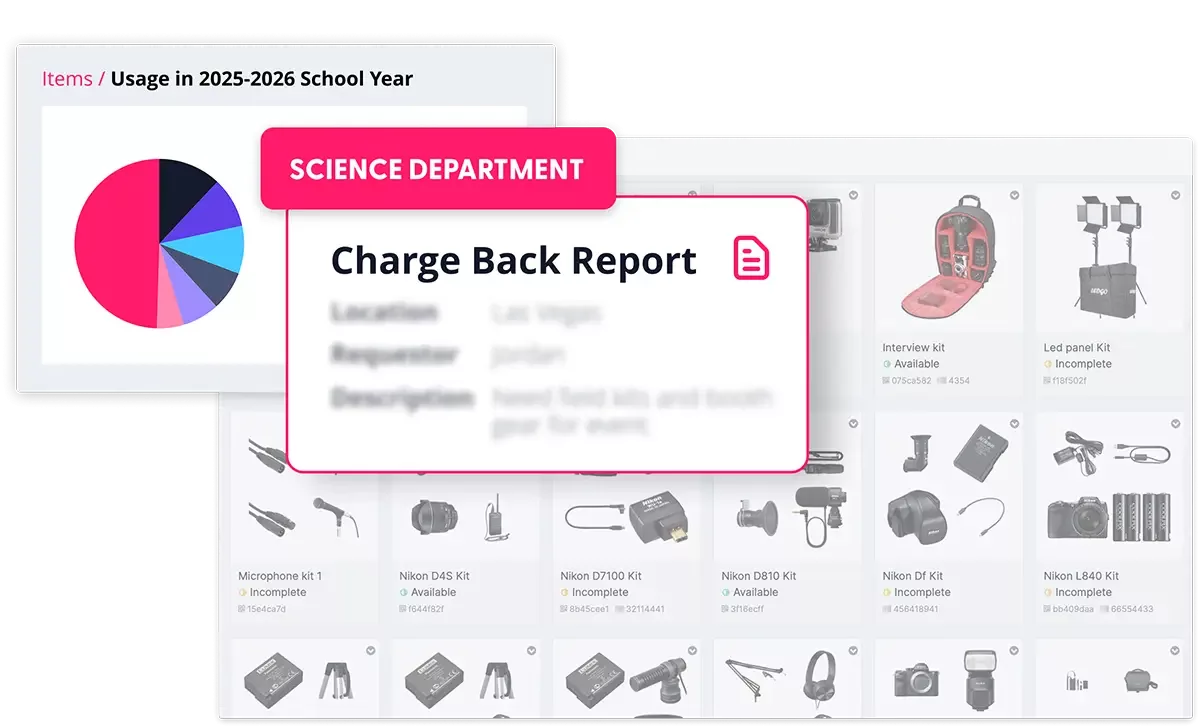
Assigning Invoices to Internal Cost Center
Internal Cost Centers

Route Charges Without the Double Entry

  • Assign items, reservations, or usage periods to a specific department, project, or cost center.
  • Build internal chargeback reports that show exactly what each team consumed.
  • Filter by location, team, or time period to generate the numbers finance actually needs.
  • Keep operations and finance aligned without creating a separate reconciliation process.

Industries

Equipment Costs Don't Look the Same Across Every Operation

Whether you're billing a client or reporting to a budget owner, the expectation is the same: accurate numbers with the records to back them up.

Broadcast & Live Production

Production companies and broadcasters need to bill clients for equipment usage by the day or by the project. Reservation-based invoicing makes it easy to recover costs without tracking hours manually.

Sports & Entertainment

Event-driven organizations that deploy equipment across multiple venues need to track what was used, when, and at what cost, so finance can reconcile against project budgets after the fact.

Corporate & Enterprise

Internal IT and facilities teams managing equipment for multiple departments benefit from cost center assignment and chargeback reporting that connects equipment usage to budget accountability.

Industrial & Construction

Teams that rent out or share specialized tools across job sites need a clear record of what went where and what it cost, both for client billing and for internal capital planning.

Government and Public Sector

Procurement and budget compliance requirements make cost documentation critical. Agencies need to keep purchase records, usage costs, and cost center assignments in one auditable place.

Capabilities

The Features Behind the Financial Picture

Every line on your invoice starts with a transaction that already happened in Cheqroom.

Invoice Generation

Build invoices directly from reservation records with item details, usage periods, rates, and totals without manual data entry or duplicate systems.

Item-Level Rate Configuration

Set daily, weekly, project, or flat-fee rates on any item. Calculate the cost automatically based on how long the reservation runs.

Cost Center Assignment & Reporting

Assign usage to departments, projects, or cost centers, build reports and share data with leadership or feed into your existing billing systems.

Rental Agreements

Generate branded PDF agreements with T&Cs, line items, and signature fields for accountability.

Purchase Tracking & Documentation

Capture purchase details and POs, vendor docs, or depreciation schedule when equipment enters your inventory. Keep a running record of what your asset base is worth.

Billing System Sync

Sync reservation line items to QuickBooks, Xero, Salesforce, NetSuite, or 4,000+ apps via Zapier.

Trusted by teams that can't afford to get the numbers wrong.

Your Equipment Budget Deserves More Than a Spreadsheet.

Show us how you track equipment costs today and we will show you where Cheqroom fills the gaps.

FAQs

  • Yes. Add a custom field to your reservation form for cost center, project code, or department, and every reservation captures that value automatically. Reports group and total usage by any dimension you configure. Universities, broadcasters, and large enterprises use this for internal chargeback billing, with exports that feed finance teams the data they need to issue internal invoices or journal entries.

  • No, and intentionally. Cheqroom is built for asset operations, not accounting. Tax engines, payment gateways, and ledger reconciliation belong in tools designed for that work. Cheqroom's role is to feed those tools accurate, real-time operational data so the invoice they produce is right on the first send.

  • Yes. Cheqroom can automatically email any generated PDF, including rental agreements and signed contracts, to a contact when a reservation is booked, checked out, or returned. For final invoices with payment terms, the email sends from your connected accounting tool using data Cheqroom already synced over. The customer receives one accurate document. The work happens across both systems without anyone doing it twice.

  • Cheqroom generates branded rental agreements, checkout contracts, and itemized PDF documents from any reservation, complete with custom terms, signature blocks, and digital sign-off. For accounting-grade invoices with tax calculation, payment processing, and ledger entries, Cheqroom integrates with tools like QuickBooks, Xero, Salesforce, NetSuite and more, automatically pushing line-item data so a draft invoice appears in your accounting tool when a reservation is created or closed. Operations and finance each work in the system built for them, with no manual data re-entry between them.