











Tour-equipment-management-thumb
Equipment Management for Scheduling & Operations

Equipment Management & Scheduling For Teams That Can't Afford to Double Book 

Cheqroom gives operations admins a single place to manage who gets what, when, and for how long, so your team spends less time coordinating.

Equipmentroom general
The Challenge

The gear is there. The system to share it isn't

When teams share equipment without a real system, the coordination falls on whoever is willing to manage it. Requests pile up over email and Slack, spreadsheets fall out of date, and nobody has a clear picture of what's actually available. Admins are stuck fielding requests instead of running operations. And when something goes missing or comes back damaged, there's no trail to follow.

  • Walk-ups and side deals bypass the process and make availability unreliable
  • Double bookings, delays and awkward convos happen without the shared calendar
  • Manual scheduling over email and Slack doesn't scale across teams, locations, or departments
  • No trail means no accountability when something goes missing or comes back damaged
  • Late returns go unnoticed until the next person shows up empty-handed
  • No visibility into utilization, history, or asset lifecycle means budget planning has information gaps

The Solution

Equipment Scheduling Built Into Your Operations

Cheqroom gives you a structured, configurable way to manage every loan, reservation, and long-term assignment across your team. Whether you run a fully managed checkout model, self-service bookings, or a hybrid of both, Cheqroom puts the guardrails in place so the right people can access the right gear without conflicts, missing items, or manual follow-up.

Equipment picking
  • Track every asset from first checkout to end of life: Condition history, utilization patterns, custody chain, and service flags all live in one record, so you know what you own, how it's holding up, and when to replace it.
  • Set availability rules and access by role, item, location, or user group: Control who can book what and for how long, without fielding every request manually.
  • Replace the request inbox: Let users book through a booking portal or submit requests that route to the right approver.
  • Eliminate double bookings: A live availability calendar means no two people get confirmed for the same item at the same time.
  • Keep items in rotation and in good shape: Flag damage on return, pull items for service before they become a problem, and keep your active inventory working.

How It Works

Three steps from setup to a fully connected equipment operation.

Set Up Your Equipment Program

Add your inventory with the details that matter: photos, custom fields, QR/barcode or RFID tags, kit configurations, and any documentation you need attached. Organize by location, department, or item type. Define your booking model — managed, self-service, or hybrid — and set the guardrails that fit each user group.

Your Team Books. You Stay in Control.

Gear gets reserved through the portal or mobile app, requests route to the right approver, and availability is checked in real time before anything is confirmed. Automated confirmations and reminders go out without any manual follow-up, and signatures or acknowledgments are captured before anything leaves. No double bookings. No "is this available?" messages in your inbox.

Track It, Manage It, Improve It

Every checkout, return, flag, and overdue item is logged automatically. You get a complete history for every asset and every user. Use that data to spot demand patterns, surface underused gear, and make smarter decisions about what to buy, retire, or redeploy.

Powerful Equipment Management & Scheduling Features for Modern Teams

Everything you need to manage equipment operations at scale, without the coordination overhead.

Availability and Booking Controls

See what's available in real time across every item, location, and user group. Set booking rules, lead times, and approval requirements so the right people get access to the right gear without conflicts or manual oversight.

Booking Portal and Mobile App

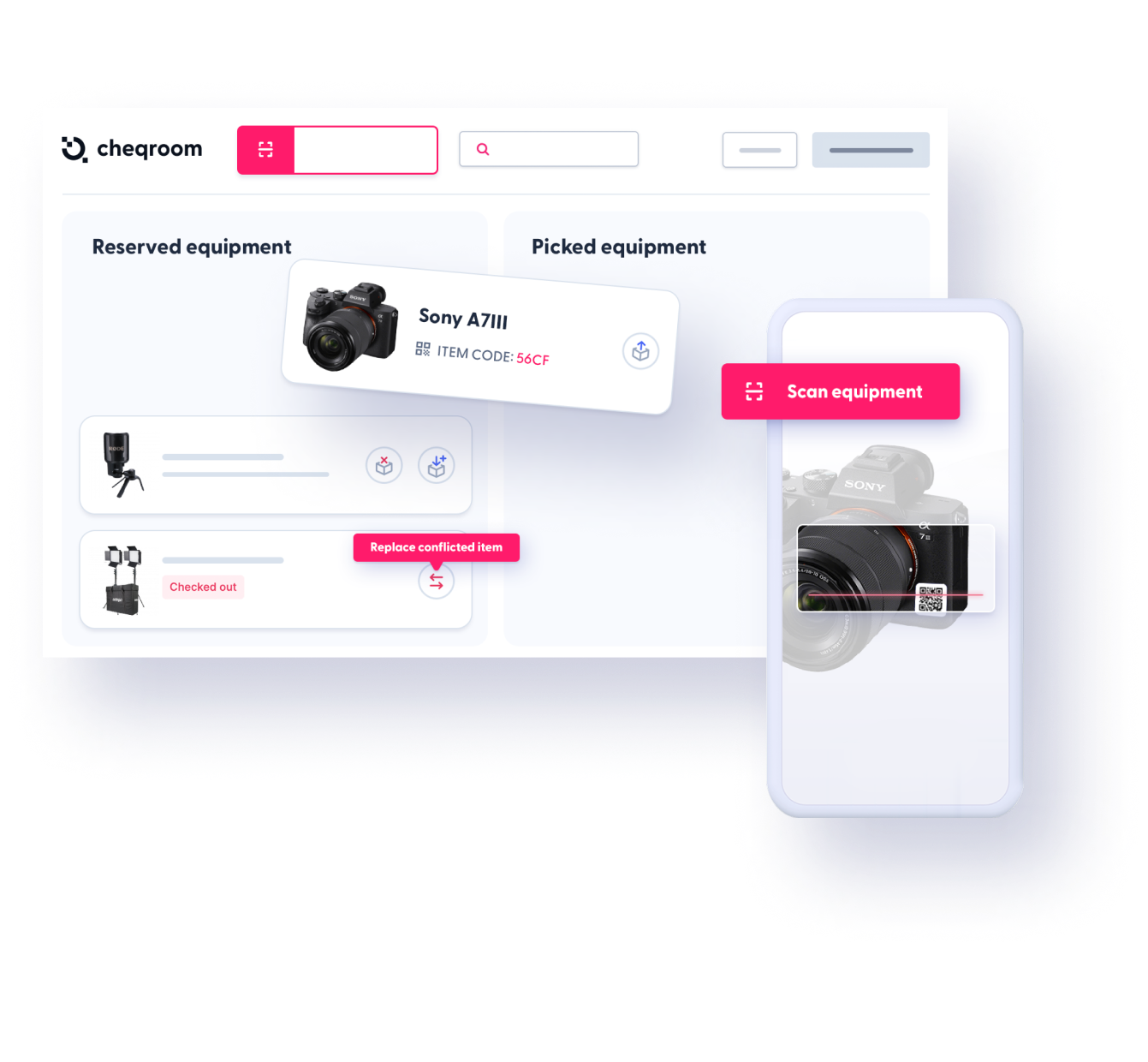
The booking portal gives users a simple catalog to browse and request gear with every request routed straight to an approver. The mobile app puts the full operation in your pocket, from scanning and checkouts to flagging condition issues and running spot checks on the go.

Kits & Bundles

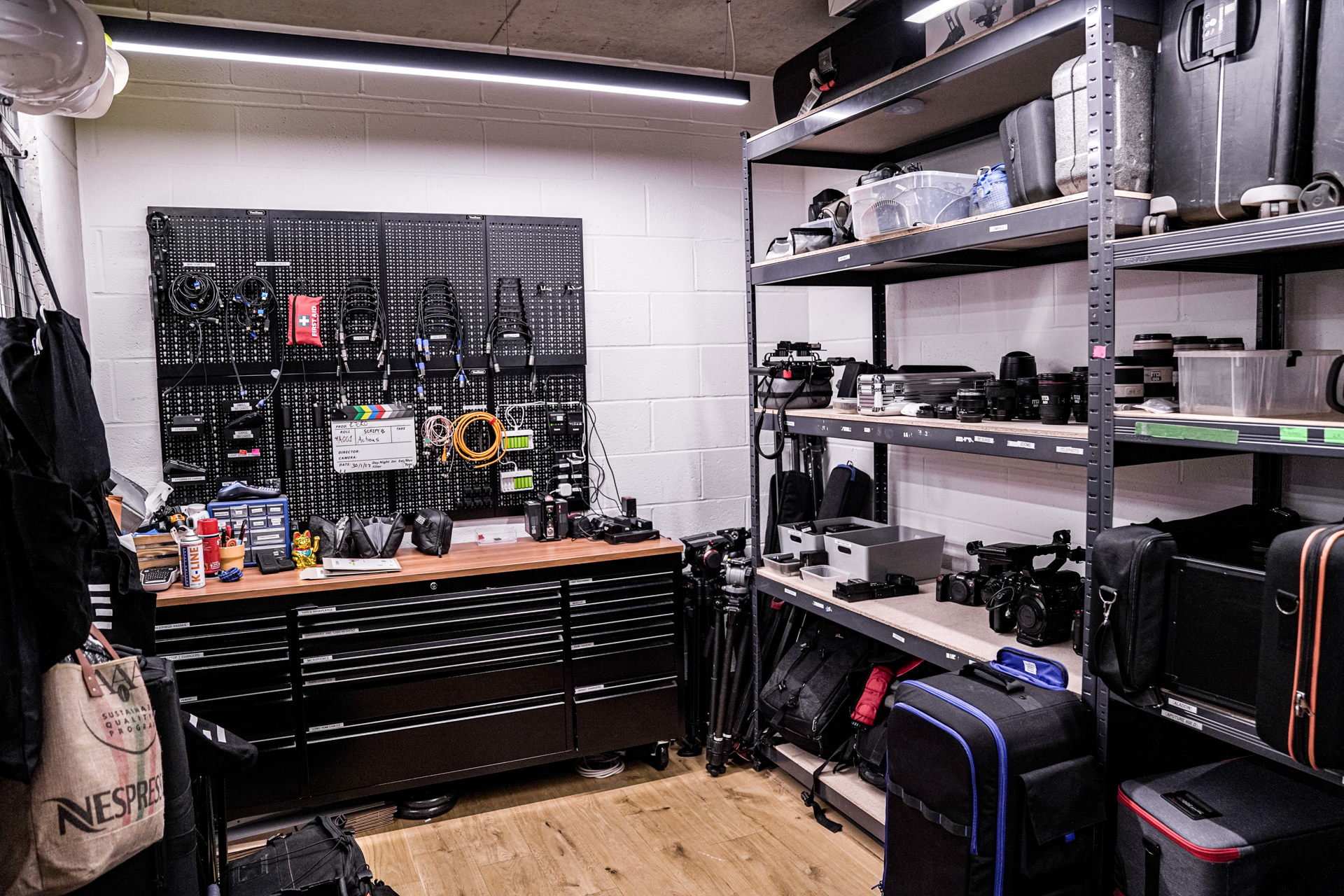
Bundle essentials into kits that check out as a single unit, every component tracked and any missing piece flagged before it leaves. No more incomplete sets showing up on set, in the lab, or in the field.

Automated Alerts and Reminders

Pickup reminders, due‑soon alerts, and overdue nudges keep loans moving without manual follow‑up. Users stay accountable and admins stay out of the reminder loop.

Long-Term Assignments and Custody Tracking

Assign equipment to a person, team, or location for weeks, semesters, or indefinitely, with a clear record of who is responsible. Capture signatures, attach agreements, and maintain a full chain of custody from assignment to return.

Kits, Scanning, Flags, and History

Scan barcodes or QR codes to pull up any item instantly and log condition on return. Every action builds a complete asset record so you always know what happened, who had it, and what it needs next.

Let us Show you the Cheqroom Difference

One Platform for Every Equipment Sharing Program

Equipment scheduling is not one-size-fits-all. Cheqroom handles every type of sharing program your organization runs, all in one place.

Short-Term Loans and Day Checkouts

Equipment that goes out and comes back within hours or a shift. Availability-checked, signature-captured, and automatically flagged if it doesn't come back on time. Camera kits, broadcast gear, lab equipment, power tools, or field devices. 

Semester and Project-Based Assignments

Longer-term custody where a person or team holds equipment for weeks or months. Full chain of custody, documentation at handoff, and a clear return date built into the record. Laptops, audio equipment, production gear, student loaners, or department allocations. 

Multi-Group and Multi-Location Programs

Multiple departments, teams, or campuses sharing inventory with their own rules, their own user groups, and their own visibility - all connected in one platform. University departments, production divisions, regional ops teams, or multi-site IT pools. 

Self-Service Booking Programs

Users browse available inventory and book what they need without any admin involvement. Guardrails keep it orderly. Approvals kick in when they're needed. Shared AV gear, conference room equipment, device pools, or training kits. 

Verified Checkout Programs

Users reserve a pre-configured set and an admin confirms every component is accounted for before it leaves. Returns are checked against the original configuration so nothing goes missing between deployments. Camera rigs, field packs, broadcast kits, training sets, or IT deployment bundles. 

Managed Checkout Programs

An admin or coordinator controls what goes out and to whom. Requests come in, approvals happen inside Cheqroom, and nothing leaves without the right sign-off and documentation. High-value gear, restricted inventory, or compliance-sensitive equipment. 

1,400+ teams trust Cheqroom to manage their equipment (and everything alongside it).

Save 80+ Hours a Month

Stop managing bookings by inbox. Automated workflows handle the coordination so your team doesn't have to.

25% Reduction in Equipment Loss

Replace the honor system with real-time, scan-based accountability for every user.

35% Longer Asset Life

Condition tracking and return flags catch issues early, before damage becomes a write-off.

Stop Managing Your Equipment Scheduling Out of an Inbox.

Full visibility into every reservation, return, condition flag, and usage pattern, so you can run a tighter equipment program today and make smarter asset decisions tomorrow.

FAQs

  • Yes. Cheqroom is SOC 2 Type II certified and GDPR and FERPA compliant. The platform is AWS-hosted with encryption at rest and in transit, role-based access controls, SSO/SAML support, and full audit logs across every user and asset action. Our full Security Overview details how we protect your organization.

  • An Equipment Management Platform is a purpose-built solution designed for organizations that share high-value equipment across teams and locations. It centralizes equipment tracking, scheduling, maintenance, and reporting in one system, focusing on real-time availability and accountability. These platforms enable teams to reserve gear in advance, check items in and out with digital signatures, flag maintenance issues, schedule preventive service, and generate insightful reports on utilization and costs, all while helping organizations reduce equipment loss, cut project delays, and extend asset lifespans.

  • Yes. Cheqroom automatically detects and blocks conflicting reservations in real time. When an item is already booked or checked out, it is flagged as unavailable — removing the risk of two people showing up for the same piece of gear.

  • Cheqroom helps teams stay audit-ready by keeping a clear activity history for asset workflows—such as check-outs, returns, and maintenance—so teams can quickly retrieve who had an item, when it moved, and its service history. Reporting and exports help reduce manual effort when supporting internal audits and compliance workflows.

  • Spreadsheets work until multiple people need the same gear, across teams or locations—and then you lose real-time visibility, accountability, and reliable history. Cheqroom replaces manual tracking with a live equipment system: real-time availability, automated reminders for upcoming and overdue returns, and a clear checkout/return history so you always know who has what and when it’s due back. Teams that move from spreadsheets to Cheqroom typically reduce “where is it?” chaos, prevent double-bookings, and cut the manual work that comes with reconciling inventory for audits.

  • Yes. Cheqroom allows you to control access by combining role permissions with equipment access controls. By tying user groups to specific item groups, you ensure that only the right teams can see and reserve certain gear. This is designed for organizations that need to restrict high-value or specialized equipment to qualified groups, such as specific departments, labs, or certified users.