

















Inventory with blur
Sharing and Lending Workflow

Stop Losing Track of Who Has Your Gear

Cheqroom is the equipment checkout system that keeps bookings, pick-ups, and returns running on time. Give your team an easy way to reserve gear, while you keep full control over who gets what, when, and for how long.

Equipment Sharing Without the Double Bookings

When shared equipment runs on email threads and spreadsheets, gear gets double-booked, returns are late, unnecessary purchases are made and nobody know who has what until a project is already at risk.

Reservations

Cheqroom gives you a single place where every loan and reservation lives alongside the rest of your equipment operations, so shared gear and accountability stops falling between the cracks.

  • Use a self-service booking portal so users can easily reserve gear
  • Set loan durations, blackout periods, and access rules per item so the right gear goes to the right people
  • Check equipment in and out in seconds with a barcode, QR or RFID scan, with condition and owner captured at every handoff
  • Send automated pickup and return reminders so late returns follow up themselves
  • See every item's live status, current borrower, and full checkout history from one screen

How It Works

Three Steps to Conflict-Free Equipment Sharing

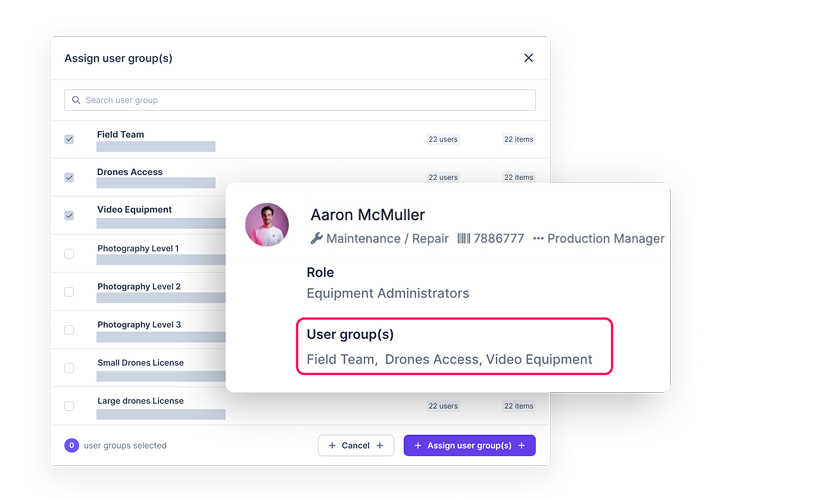
Multiple User Groups for Organizations
Build the Foundation

Set Up Your Rules

  • Design the booking flow that fits your team. Choose managed, hybrid, or self-service flows with requests, approvals, and pickup windows configured by role, team, or location.
  • Show the right gear to the right people. Create access groups so users only see and book the equipment relevant to them.
  • Set the boundaries upfront. Configure loan durations, reservation windows, and blackout periods per item so conflicts are blocked before they happen.
Checkout1
Run the Workflow

Handle Every Request, Handoff, and Return

  • Keep availability accurate. Real-time conflict blocking prevents double bookings the moment a reservation is made - and upcoming events or maintenance windows can be blocked in advance so scheduling conflicts don't surface at the worst moment.
  • Make handoffs fast. Scan a barcode or QR code on any device, capture condition with photos and custom fields, and complete the checkout in seconds.
  • Keep loans moving. Automated reminders go out at pickup, before the due date, and when a return is overdue — without anyone having to chase.
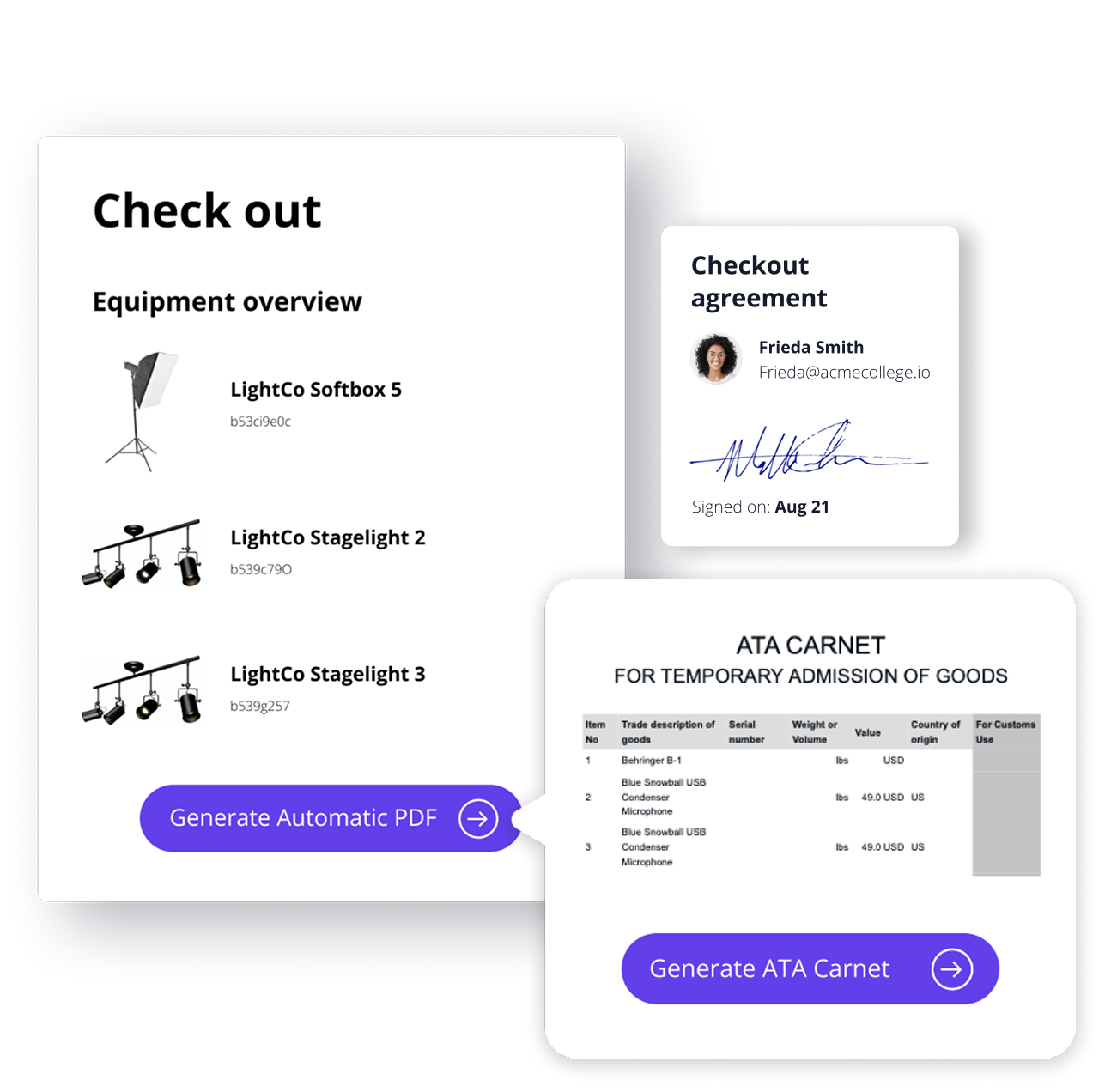
  • Collect accountability at the handoff. Attach loan agreements and capture e-signatures at checkout so responsibility is clear from the moment gear leaves the room.
Report
Manage Your Operations

Complete Visibility of Your Assets

  • Know where everything is. View the dashboard to see every item's current status, borrower, and expected return across your portfolio.
  • Flag issues before they escalate. Surface overdue returns, condition flags, and utilization gaps from one screen without digging through records.
  • Connect returns to what comes next. When gear comes back flagged, a maintenance work order opens automatically so nothing slips back into rotation in poor condition.
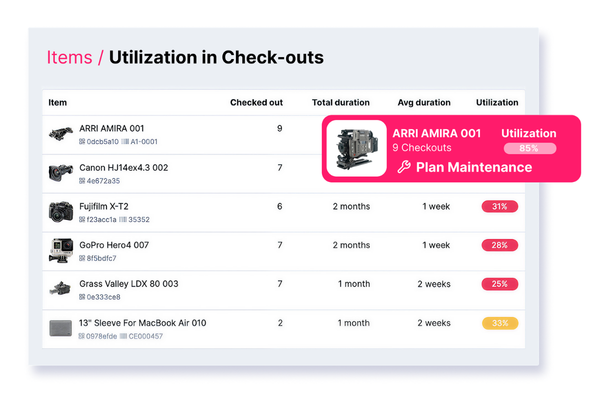
  • Make smarter purchasing decisions. Pull utilization reports to see which gear is always in demand and which hasn't moved in months.

Shared Equipment Looks Different Across Every Organization

The gear, the workflow, and the stakes vary by industry, but the need to know who has what, when it's due back, and whether it's in good shape doesn't.

Campus Photo

Educational Institutions

Students and faculty check out lab equipment, media gear, IT resources, sports equipment, and shared spaces across departments with high turnover and competing demand.

Equipment management for schools and universities

Sports & Entertainment

Production teams and event staff share cameras, production tools, studio resources, and event gear — often on overlapping schedules where a late return stops the next job from starting.

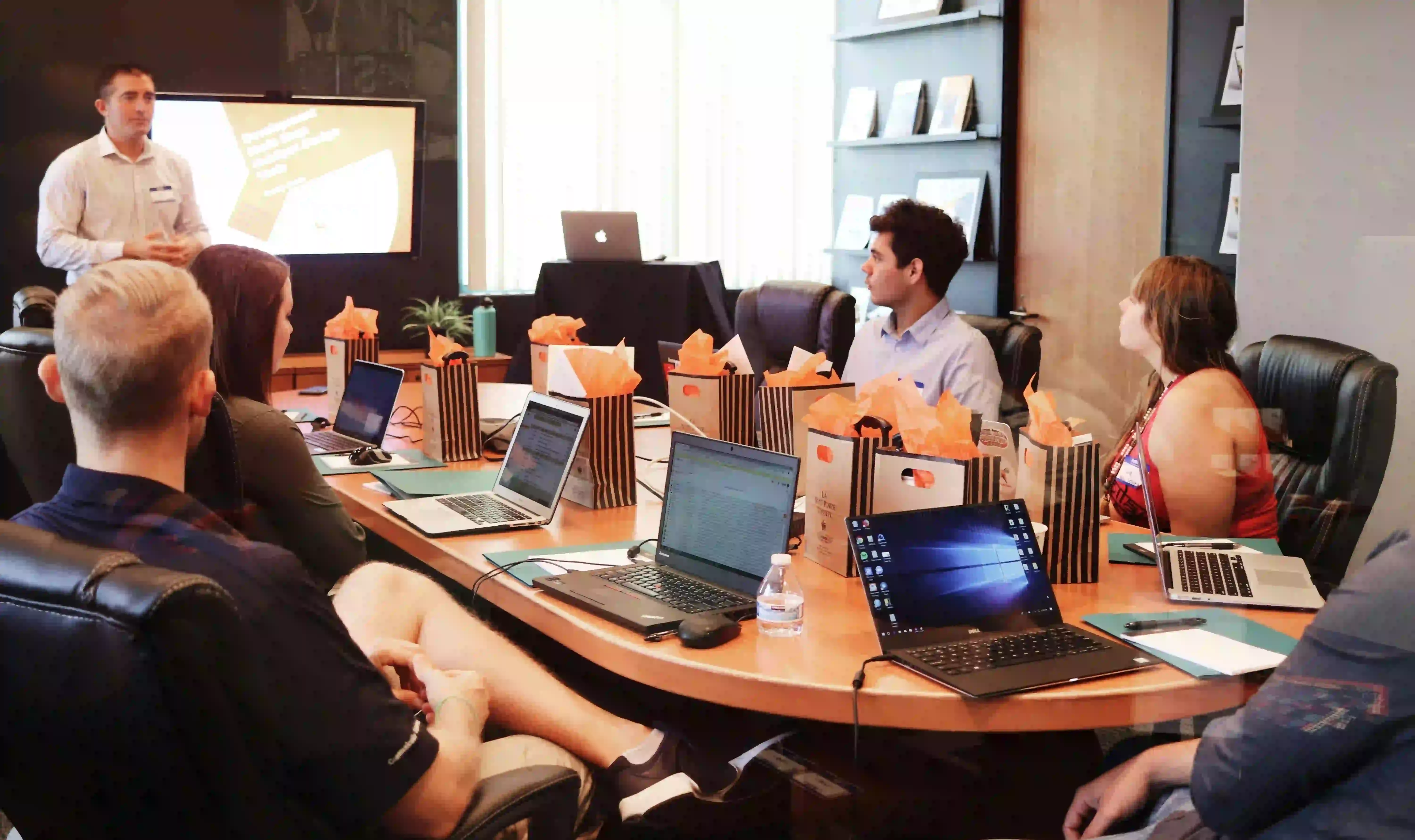
Corporate meeting

Corporate Teams

Distributed teams share AV, IT, and field equipment alongside conference rooms and office spaces across locations and cost centers with limited central oversight.

Broadcast & Media

Crews share cameras, audio, lighting, and studio spaces across overlapping shoots with no margin for a missing kit or a double-booked room on location.

Government & Public Sector

Agencies share specialized tools, devices, and field equipment across units where chain-of-custody records are non-negotiable.

Industrial & Field Services

Field teams check out tools, meters, and safety equipment for jobs spanning multiple days, sites, and operators.

Capabilities

Because Shared Equipment Isn't Just a Booking Problem

Everything you need to manage loans, availability, accountability, and returns.

Self-Service Booking Portal

Give end users a simplified, filterable catalog of available assets to browse, request, and reserve without emailing anyone. Embed it on an internal page or link it directly.

Conflict-Free Reservations

Real-time availability blocking prevents double bookings the moment a request is confirmed, so the calendar your team sees is always accurate.

Mobile App

Complete a handoff in seconds by scanning a barcode or QR code from any device to capture condition fields, photos or e-signature at every step.

Automated Alerts

Pickup reminders, due-soon alerts, and overdue nudges go out automatically. Managers get looped in on critical items without anyone having to ask.

Borrower Accountability Log

Every item carries a full custody history: who had it, when, for how long, and what condition it came back in.

Utilization Reporting

See which gear is always booked out and which is sitting idle. Use real usage data to justify purchases, retirements, and reallocation decisions.

Trusted by Organizations Where Lost Gear is Not An Option

Bustle Digital Group

"Cheqroom has been really great for us in terms of tracking equipment across multiple locations."

Bloomberg L.P.

"Having a system like Cheqroom, it really gives me the confidence that all of our assets are safe. I can't even count the hours that I've saved using Cheqroom."

Stop Guessing Who Has the Gear.

See how simple equipment sharing can be with Cheqroom.

FAQs

  • Yes — this is core to how Cheqroom works. You can create separate locations and workspaces within a single account, allowing each department, site, or campus to manage its own asset pool independently. When work crosses team boundaries — a shared resource, a cross-functional project, equipment that one team owns but another uses — Cheqroom handles that too. Assets can be shared and transferred across departments, with movement tracked in real time. Role-based permissions mean each team operates with the structure they need, while administrators retain a unified view across the entire organization. Every team gets autonomy. Leadership gets visibility. Nothing falls through the gaps between departments.

  • Condition is captured with comments, photos and flags at return. If an item is flagged, the details are automatically tied to the record with specific borrower, checkout event and notes, so accountability is built into the handoff rather than disputed after the fact. From there, the flag can trigger a work order, ticket, or service request directly, so damaged gear gets addressed before it goes back into rotation.

  • Yes. Access rules and user roles determine which items each person or team can see, request, and check out. Once the rules are configured, access is enforced automatically — no approvals required for items within a user's permitted scope.

  • Yes. Short-term reservations and checkouts run through the same workflow as long-term custody assignments, so you can manage a two-hour loan and a six-month laptop assignment from one place without switching tools or creating parallel record systems. This also allows you to document the full history of one asset in one place.