100-Day blueprint for equipment management success
Rolling out an equipment management system is one of the smartest moves an organization can make. Whether you’re running a university media lab, a production company, a live event crew, or an IT department, having a centralized way to track, book, and protect equipment saves both time and money.
But here’s the catch: software alone isn’t enough. The real success lies in how you implement, adopt, and scale the system during the first 100 days. This period determines whether your software becomes the backbone of your operations, or just another unused tool collecting digital dust.
This blueprint gives you a detailed, step by step roadmap for maximizing value in your first three months. It covers everything from initial setup and team onboarding to workflow definition, integrations, and long-term scaling.
Days 0–30: Laying the Foundation
🎯 Define your goals and success metrics
Before importing a single piece of data, align on your objectives. Ask:
- What pain points are we solving? (lost gear, slow checkouts, chaotic scheduling)
- How will we measure success? (e.g., reduce missing gear by 50%, cut admin time by 20%)
- Who owns the rollout and ongoing management?
➡️ Tip: Document these goals and share them with your team. This ensures everyone understands the “why” behind the change.

📍 Set up locations and equipment structure
Your system should reflect your real world setup:
- Define locations (warehouses, campuses, rooms, production sets)
- Group gear into categories (cameras, laptops, lighting kits, tools)
- Add statuses (Available, Reserved, Checked Out, Under Maintenance)
This foundation makes your inventory searchable, trackable, and audit-ready.
Example: A broadcasting team with three studios sets up “Studio A, Studio B, Studio C” as separate locations. Now they can track where cameras live, and who moved them.
🔁 Define your workflow: self-service, full control, or hybrid
Different teams prefer different models:
- Self-service: Anyone can reserve and check out equipment directly
- Full control: All reservations/returns require approval
- Hybrid: Self-service reservations and check-outs require approval or supervision
Pick the model that matches your team culture and risk tolerance.
Example: A film school allows students to self-check out tripods, but expensive cinema cameras require staff approval.
🏷️ Import your inventory and start tagging
Upload your asset list (CSV import works best) and start tagging items:
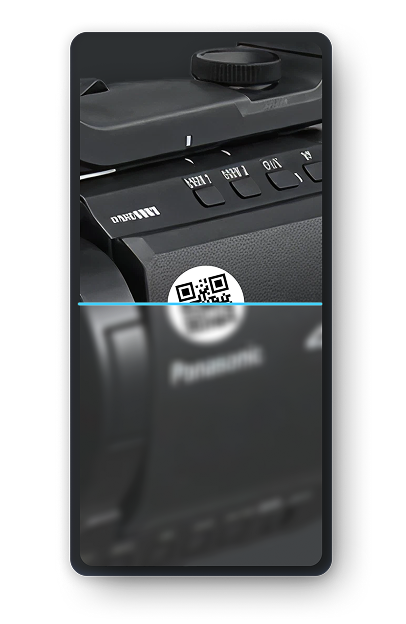
- QR codes for simple scanning
- Barcodes for low-cost solutions
- RFID tags for high-volume or high-security tracking
➡️ Pro tip: Start with your highest-value and highest-use gear (the 20% that causes 80% of issues).
🔔 Set up notifications and PDFs
Automated communication makes your system proactive:
- Check-out confirmations via email or SMS
- Return reminders 24 hours before due date
- Overdue alerts when equipment isn’t returned on time
Enable PDF exports for reports, equipment handover receipts, or audits. This keeps records professional and easily shareable.
Days 31–60: Driving Team Adoption
🌐 Train with real world scenarios
People learn by doing, not by reading manuals. Run live sessions:
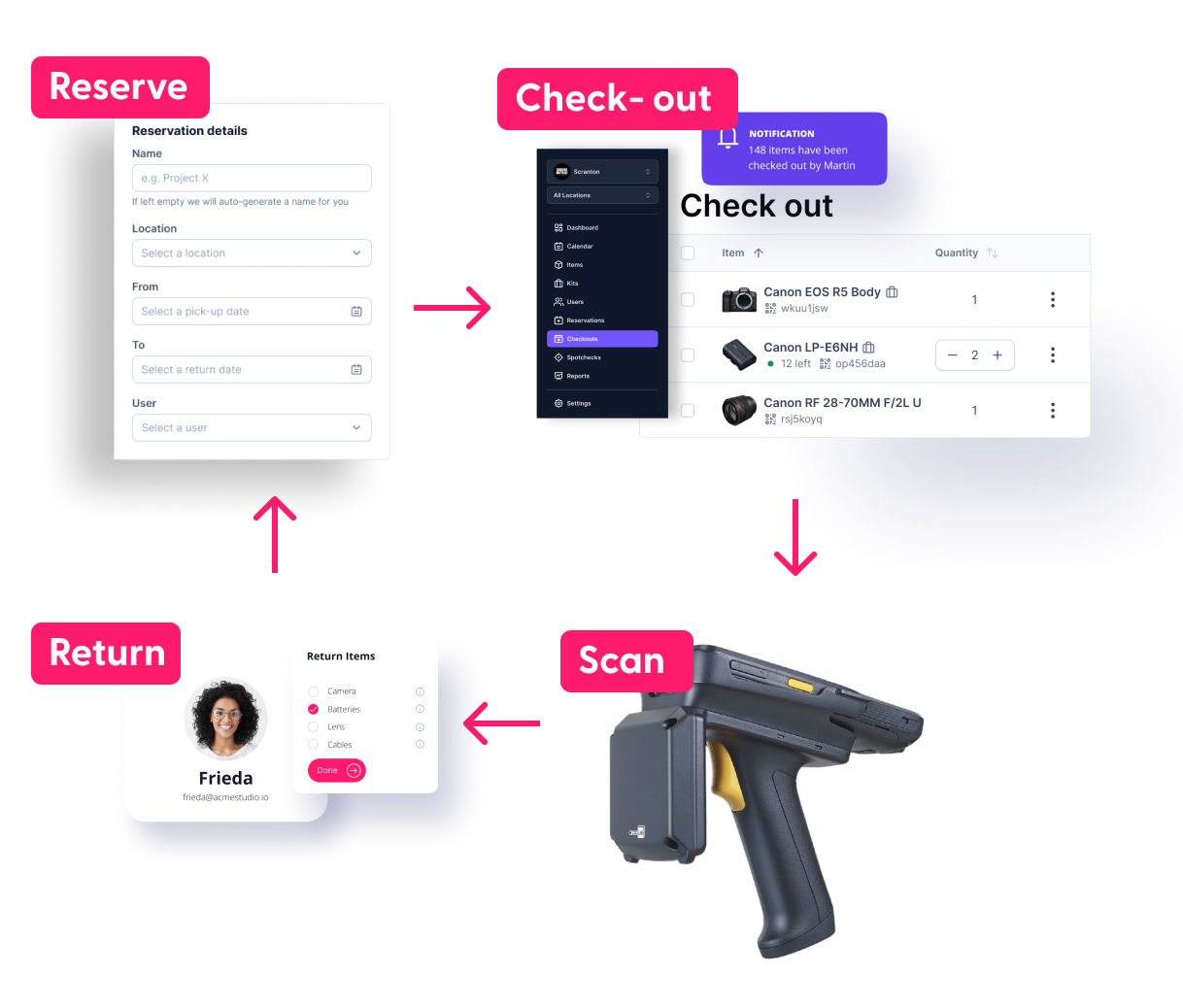
- Reserve and check out gear for a shoot
- Return an item late and trigger a notification
- Scan a QR code to log an equipment handover
Record short video tutorials for future reference and new hires.
👁️ Make it accessible everywhere
If your system requires multiple logins or desktop-only access, adoption drops. Ensure:
- Mobile app availability
- Checkout kiosks at storage locations
- Integrations with tools your team already uses (e.g., Slack, Google Calendar)
- Posters with QR code redirecting to login page
Example: A university integrates Cheqroom with Outlook calendars. Students see when equipment is available while booking studio time, zero extra steps.
🌟 Celebrate and communicate wins
Adoption accelerates when teams see value quickly. Track and share metrics like:
- Lost items reduced by X%
- Checkouts now take Y minutes less
- Total equipment usage value tracked = $Z
➡️ Post these wins in Slack, newsletters, or team meetings to reinforce success.
🧰 Assess progress and adjust your plan
Halfway through, ask:
- Are teams using the system daily?
- Is equipment being scanned consistently?
- Are there bottlenecks in workflows (too many approval delays)?
Adjust permissions, notifications, or workflows based on real usage.
Days 61–100: Embedding and Optimizing
🔩 Refine processes
Now that basics are in place, optimize for efficiency:
- Add maintenance schedules to avoid missed servicing
- Automate check-in/check-out receipts for accountability
- Introduce custom fields (e.g., insurance value, warranty date)
Example: An AV production house adds maintenance reminders for lighting rigs. Result: fewer last-minute failures during shows.
🔎 Identify unused or underused capabilities
Most systems include features teams forget to activate. Explore:
- Advanced reporting and dashboards
- Condition tracking with photos on return
- Analytics on underutilized equipment
➡️ Often, you’ll find idle gear that can be reallocated, or sold to free budget.
🔗 Connect workflows with integrations
Extend value by linking your equipment system with other tools:
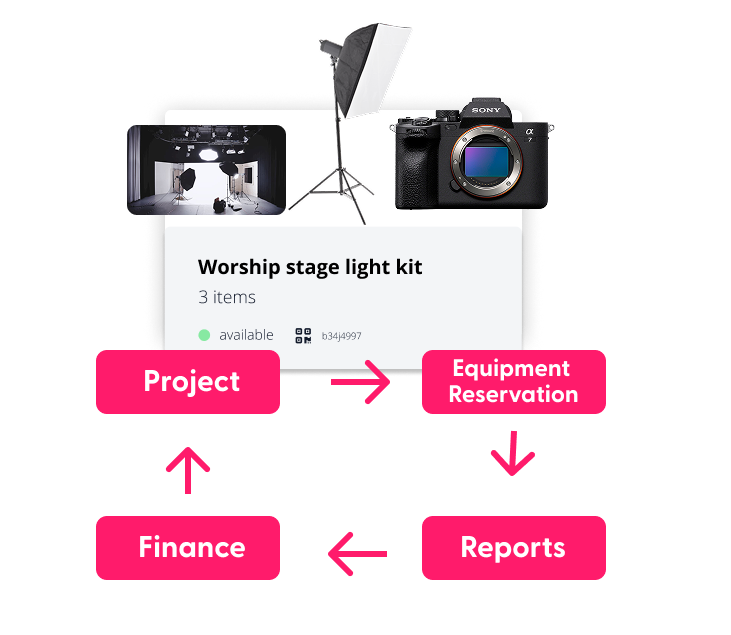
- Project management: Monday.com, Asana, Wrike (sync reservations with project tasks)
- Finance/accounting: QuickBooks, Xero (sync equipment costs, depreciation, or rental invoices)
- Collaboration tools: Slack, Teams (real-time notifications)
Example: A video agency integrates Cheqroom with Asana. When a shoot is scheduled, the required gear auto-reserves in the equipment system.
⏩ Continue to monitor adoption
Run monthly adoption checks:
- Who is using the system daily vs. occasionally?
- Which locations are most active?
- Which workflows need additional training?
➡️ Keep adoption a KPI. This prevents backsliding into old habits.
🎯 Set goals for the next phase
By day 100, you should be seeing measurable improvements. Now ask:
- Do we want to expand to more locations?
- Should we onboard new departments?
- Can we automate more reporting or maintenance?
This sets the stage for scaling and long-term ROI.
📈 Plan to scale
Your first 100 days are just the beginning. Plan how to:
- Onboard new teams (IT, Facilities, Fleet)
- Expand into global locations or campuses
- Standardize reporting across the organization
Scaling ensures the system grows with you, not just solves today’s challenges.

The Bottom Line
The first 100 days with equipment management software are critical for setting up success. With the right strategy, your team will:
- Adopt the system fully instead of resisting change
- Track equipment with precision through QR codes, barcodes, or RFID
- Automate workflows to save time and prevent errors
- Integrate with existing tools for seamless operations
- Lay the groundwork for scale, from single teams to global organizations
Software is only half the battle, the other half is adoption, education, and continuous improvement. Get the first 100 days right, and your system becomes the backbone of your operations for years to come.

👉 Next step: Ready to map out your own 100 day plan?
Book a demo with Cheqroom and see how fast your team can unlock efficiency, accountability, and peace of mind.

Maria Alejandra Benitez Chief of Staff at Cheqroom | Equipment Management Expert! Maria is the strategic mind shaping Cheqroom’s big-picture moves. As Chief of Staff, she turns industry insights into go-to-market gold—bridging customer needs, product vision, and smart execution.
With a deep pulse on equipment-heavy industries and a sharp eye for market trends, she helps Cheqroom stay three steps ahead. Whether it’s unlocking new verticals or fine-tuning product-market fit, Maria’s the one connecting the dots (and making it look easy).
She’s all about bold strategy, smart growth, and making gear management way cooler than it sounds.
More blog articles