











Tracking with Blur
Approvals · Now in Beta

Approval Workflows Built into Equipment Reservations

Add custom approval steps to reservations, route requests to the right people, and keep gear reserved while decisions are pending. Every decision stays on the reservation.

The Challenge

Most Approvals Happen Outside the System

Google Forms. Email chains. Slack messages. Requests sit waiting for sign-off while gear stays available for anyone to book.

Before Approvals

  • Approvals scattered across forms and email
  • Policies enforced differently by every team
  • Gear shows available while a request waits
  • Admins chase approvers by hand
  • No record of who approved what, when, or why

With Approvals

  • Approvals built into the reservation
  • Rules enforced on every request
  • Gear held the moment it's requested
  • Requests route to the right approver automatically
  • A full approval history on every reservation

How it Works

Request. Review. Record.

Request

Users submit a reservation. Conflicts and booking restrictions are surfaced before anyone can reserve.

Review

Your approval rules are applied and the right approver is notified. They can approve, deny, or comment on the request.

Record

Approved reservations move to pickup. Denied ones go back to edit and resubmit. Every decision tracked.

Rules That Match How You Work

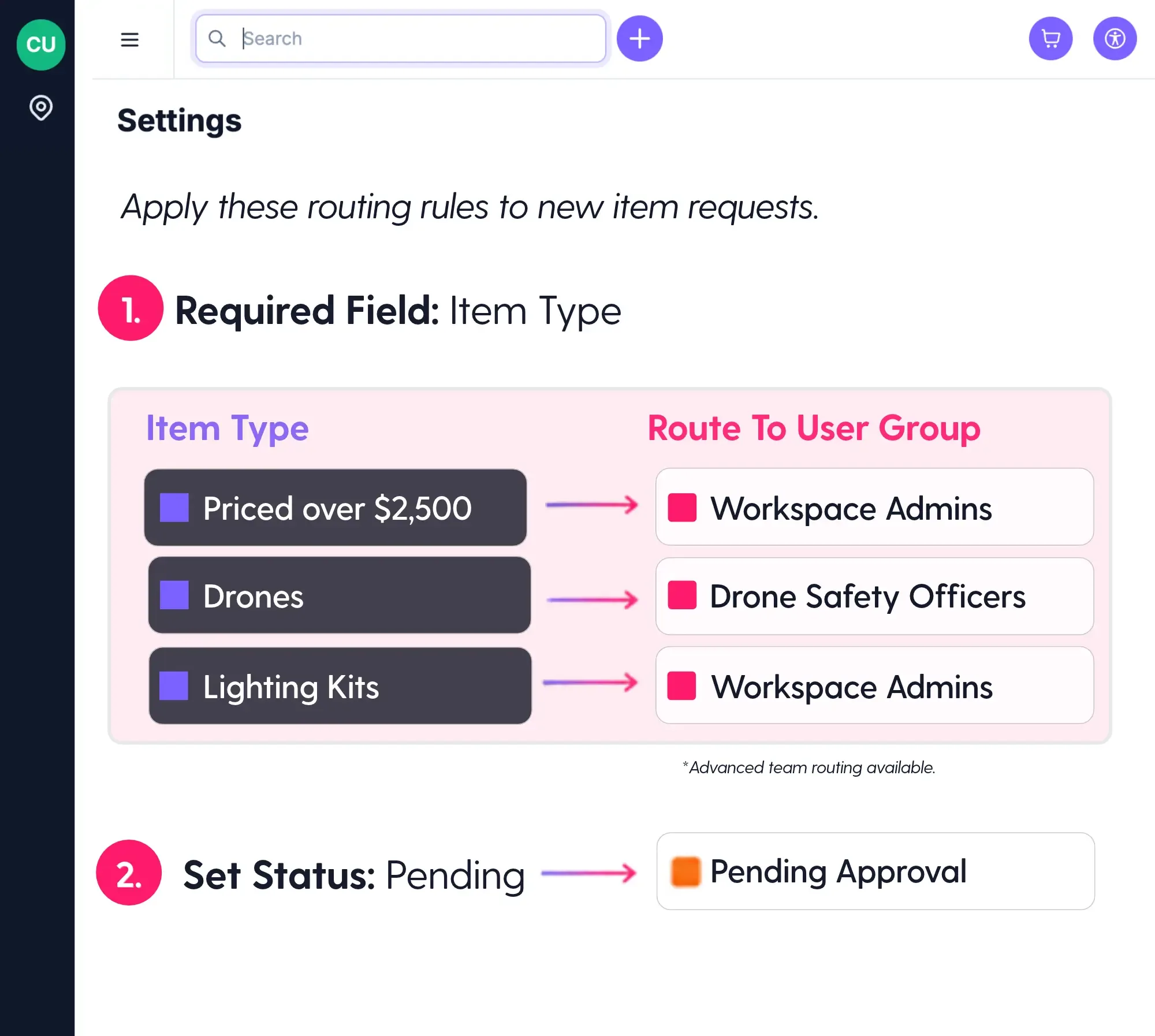
Set approval requirements around the equipment, people, and information that matter to your team.

Route by Value

Require approval for high-value equipment or reservations above a defined threshold.

Route by Item

Flag specific equipment, categories, or kits that need sign-off.

Route by Team

Send requests to the group responsible, such as instructors.

Route by Field

Use required reservation fields, such as a class number, to direct requests.

Add a Second Review

Add a second approval step for requests that need extra sign-off.

Skip Review

Let admins and trusted groups, such as staff, book without review.

Guardrails, Not Gatekeepers

The system enforces your rules, so no one person has to.

Approvals Routing Rules

One Set of Rules

Enforce your booking policies the same way every time, without relying on admins to remember every rule.

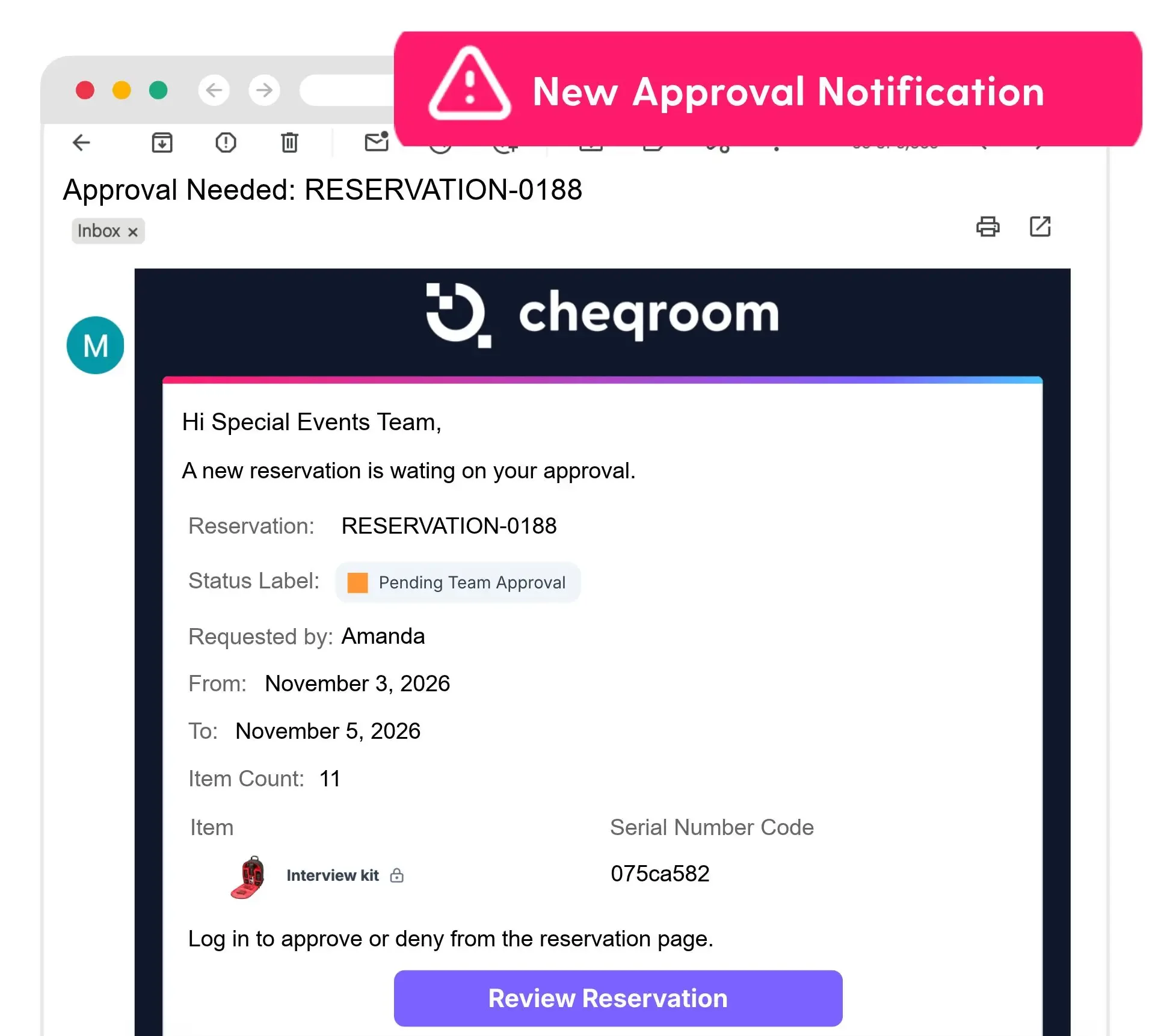
Approvals Notification

Less Chasing

Requests route to the right approver automatically, and requesters can check status anytime.

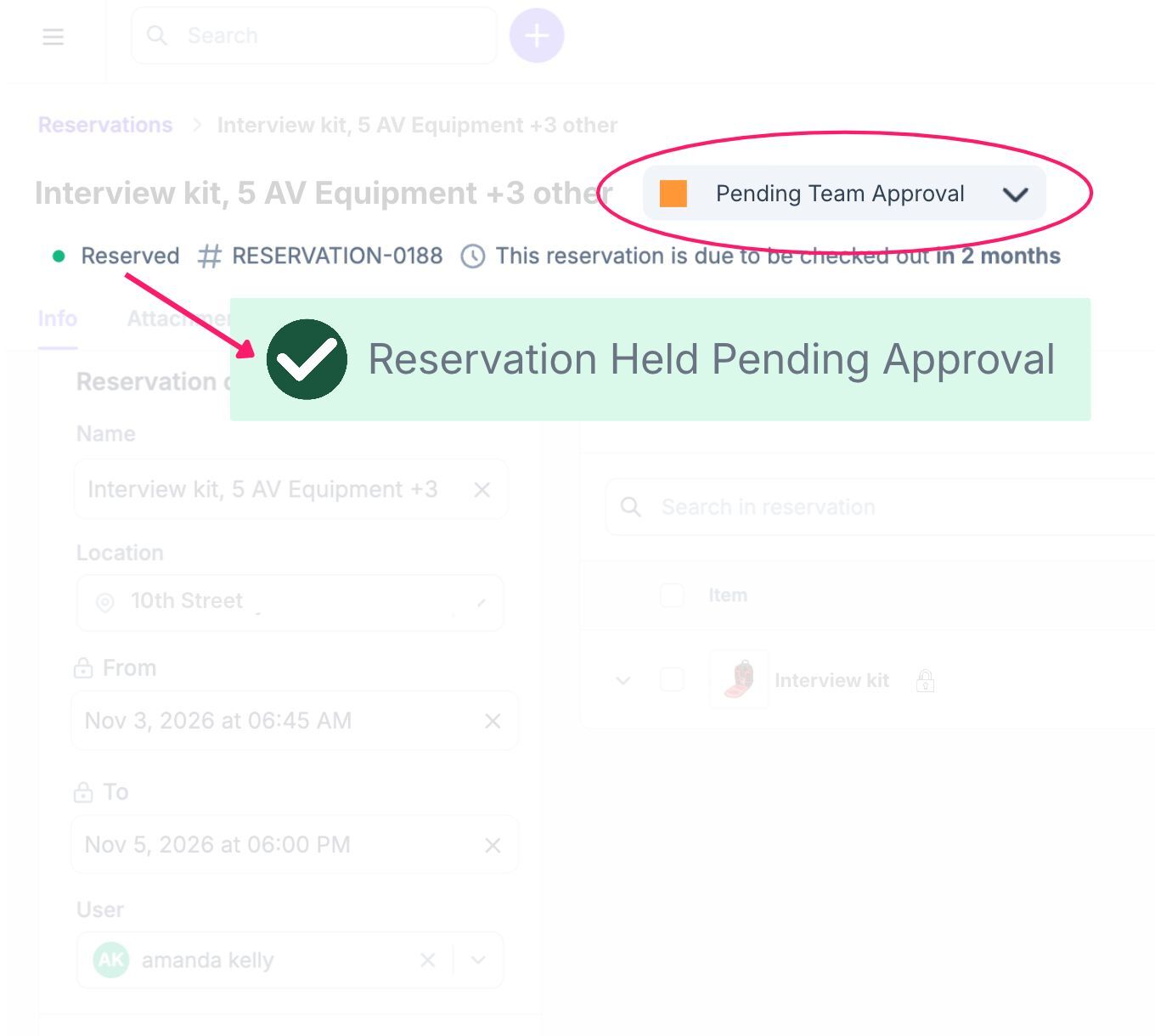
Approvals Pending

No False Availability

Prevent double bookings. Gear is held while a request is under review, so no one else books it.

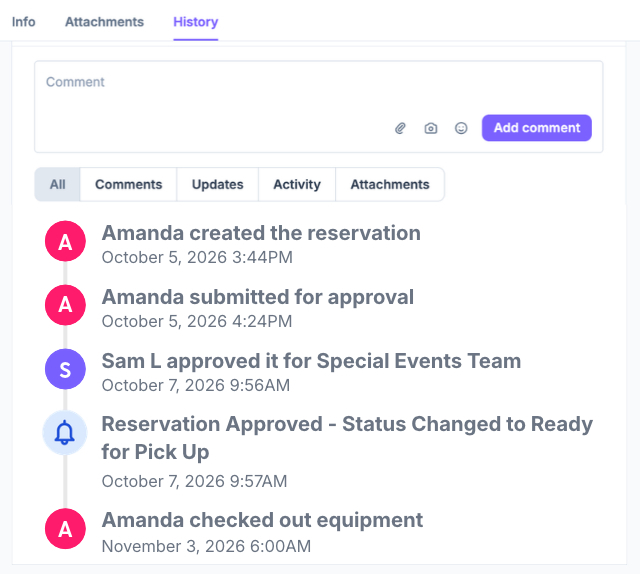
Approvals History

Every Decision on the Record

Every approval, denial, and comment stays on the reservation, so teams see who decided, when, and why.

Built for Teams That Share High-Value Gear

Real use cases to inspire.

Sports broadcasting

Sports Broadcast

Challenge: Gear lives at an offsite warehouse and the main campus. Approvers signed off, but teams pulling gear weren't in the loop.

Solution: Approvers can add a Warehouse Contact and a Campus Contact, who are copied on the approval and every update, so the right people can prep gear for picking, staging, and check-out.

Approvers: Workspace Admins

Items: "Lenses over $10K"

EDU for cards

Education

Challenge: Production staff fill requests but can't judge if gear fits a class project. Instructors can, but weren't tagged on requests.

Solution: Students add their class to each reservation. Advanced gear requests route to instructor while basic kits for intro classes bypass the need for approval.

Approvers: Group "Instructors"

Items: "Cinema Cameras"

HR for Cards

Corporate IT

Challenge: Employees self-serve but some devices are specific to a role. Gear stayed “available” to others while approval sat in email.

Solution: Booking Portal requests on devices tagged as role-specific are held the moment someone requests them and sent to an approver to confirm.

Approvers: Account Owners & Group “HR”

Items: "Executive Laptops"

See How Approvals Work for Teams Like Yours

What We're Hearing So Far

A Large Corporation

"Equipment requests can’t depend on one person always being available. With Approvals, we can share approval responsibility with trusted colleagues while keeping control over who can make those decisions."

A Higher Education Team

“Not every lab manager needs to approve every reservation. With Approvals, we have clear ownership, so the right people review requests for their equipment and everyone knows where responsibility sits.”

Trusted by 1,400+ organizations managing $15B+ in mission-critical assets.

part of the assetops platform

Every Asset, Every Workflow, One Operating System.

In the AssetOps platform, every piece of gear moves from request to ready in one place. Approvals puts the right sign-off at the start, so every step after runs on a confirmed plan.

Asset Ops Approvals

Open Self-Service to More People

Let more users book on their own. Your rules decide what needs review, so access grows without losing control.

Fewer Conflicts Downstream

Gear is cleared before it's prepped, picked, or released, so the gear room works from confirmed reservations.

One Platform, Not Another Tool

Approvals runs in the same system as your inventory, bookings, and maintenance. No separate form or approval app to manage.

Ready to Ditch the Back-and-Forth?

See how Approvals keeps your equipment in the right hands, without slowing your team down.

FAQs

  • Approvals add a review step to reservations. Requests that match your rules go to the right approver before they’re confirmed. Everything else books as usual. No more Google Forms or email chains, everything happens right in Cheqroom and stays tied to the asset forever.

  •  A user submits a reservation. Cheqroom checks it against the rules you have set up. If it needs review, the right approver is notified and can approve, deny, or comment. Approved reservations move on to check-out. Denied reservations go back to the requester to fix and resubmit. Every decision is logged.

  • Approvers are set by role or user group, not by individual. A group can be just one person. Grouping keeps approvals moving when someone is out of office or a new approver joins.

  • Yes. Add a second review step. For example, a student’s request goes to the class instructor first, then to the equipment office for final sign-off. Instructors only see requests for their own classes.

  • Yes. Items are reserved the moment someone requests them, so no one can double-book during review. If a request is denied, it returns to draft and the equipment is released for others to book.

  • Yes. Set rules by purchase price, category, or custom field. Only matching requests go for review. Everything else books as usual.

  • No. You decide what gets reviewed. Review every reservation, or only the ones that match your rules:

    • By value. Send high-value requests for review.
    • By item. Require sign-off on specific gear by category, purchase price, or custom field.
    • By team. Send requests to the approver who owns them, like a class instructor or department manager.

    Admins and trusted groups can skip review and book directly.