7 Best Equipment Management Software Platforms to Watch in 2026
If you're reading this, you're probably struggling with asset management, whether it's tracking equipment in spreadsheets, dealing with missing assets, or trying to justify investing in modern asset management software. Trust me, I've been there. For years, asset tracking was a necessary evil. But in 2026, the asset management software landscape has finally matured into something truly strategic.
This guide cuts through the noise. We've done the demos, dug into the pricing, and mapped each platform to the operational problems it actually solves. The result: a practical breakdown of Cheqroom and its most serious rivals — the asset management platforms worth evaluating in 2026. This isn't a feature checklist. It's about finding the platform that solves your most painful equipment management problem and gets out of the way. Let's get into it.
❓ First Things First: What Problem Are You Really Trying to Solve?
Before you look at features, you need to look at your pain points. Don't choose a CMMS if your real problem is double-booking! Use this quick guide to narrow down your focus: If your core problem is...Your Top 2026 Recommendation is...
My Insider Take:
- Scheduling, Loaning, & Double Bookings → Cheqroom (Unbeatable for gear movement) ❤️
- Preventing Breakdowns & Work Orders (CMMS) for only maintenance teams → UpKeep or Limble CMMS (Maintenance is their DNA)
- Financial Tracking & Audit Compliance → Equiply (Budget-friendly financial control)
- Simple, Visual Tracking & Ease-of-Use, not sharing gear → Sortly (The "anyone can use it" winner)
- Complex, Custom Inventory only Workflows → Asset Panda (When you need to build your own rules for fixed equipment)
What Exactly Is Asset Management? (And Why Does It Matter for Your Bottom Line?)
Before we dive into the software, let's nail down what we're actually talking about.
The Technical Definition
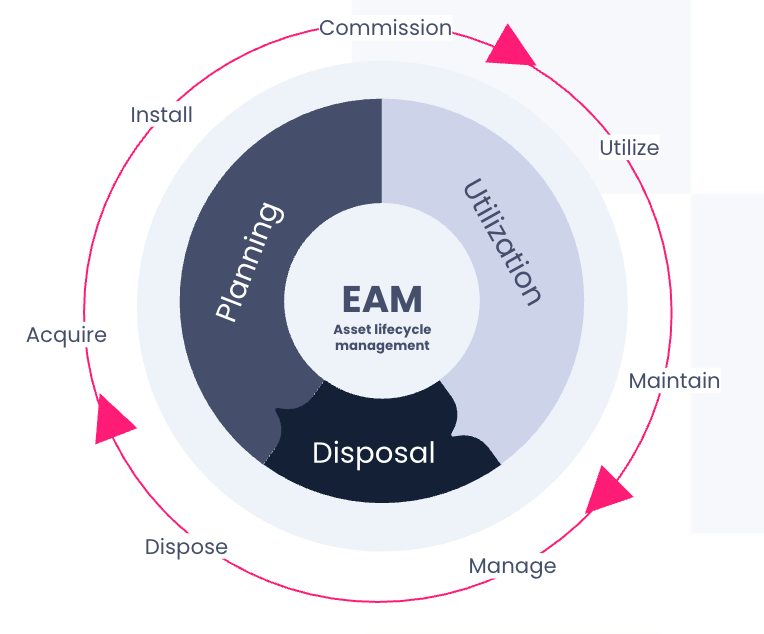
In the simplest, most professional terms, Asset Management is the coordinated activity of an organization to realize value from assets.
This isn't just counting equipment. It’s a systematic process covering the entire life cycle of a physical or digital asset, ensuring it provides the maximum possible value while minimizing costs and risks.
The Practical Definition (Why Your Team Cares)
If that sounds like corporate jargon, here’s what it means in the real world:
| Aspect of Asset Management | The Everyday Goal |
|---|---|
| Accountability | Knowing who has the gear and when they are returning it (eliminating loss). |
| Utilization | Ensuring assets are used efficiently and not sitting idle (boosting ROI). |
| Health | Scheduling preventive maintenance to avoid costly, unexpected breakdowns (reducing downtime). |
| Financials | Tracking depreciation and asset value for accurate balance sheets and audits (compliance) |
In short, a strong asset management program moves your company from reacting to problems (a broken machine, a missing laptop) to proactively using your data to make smarter, more profitable decisions.
This is why the equipment management tools we discuss below are no longer nice-to-haves—they are non-negotiable systems for modern business efficiency.
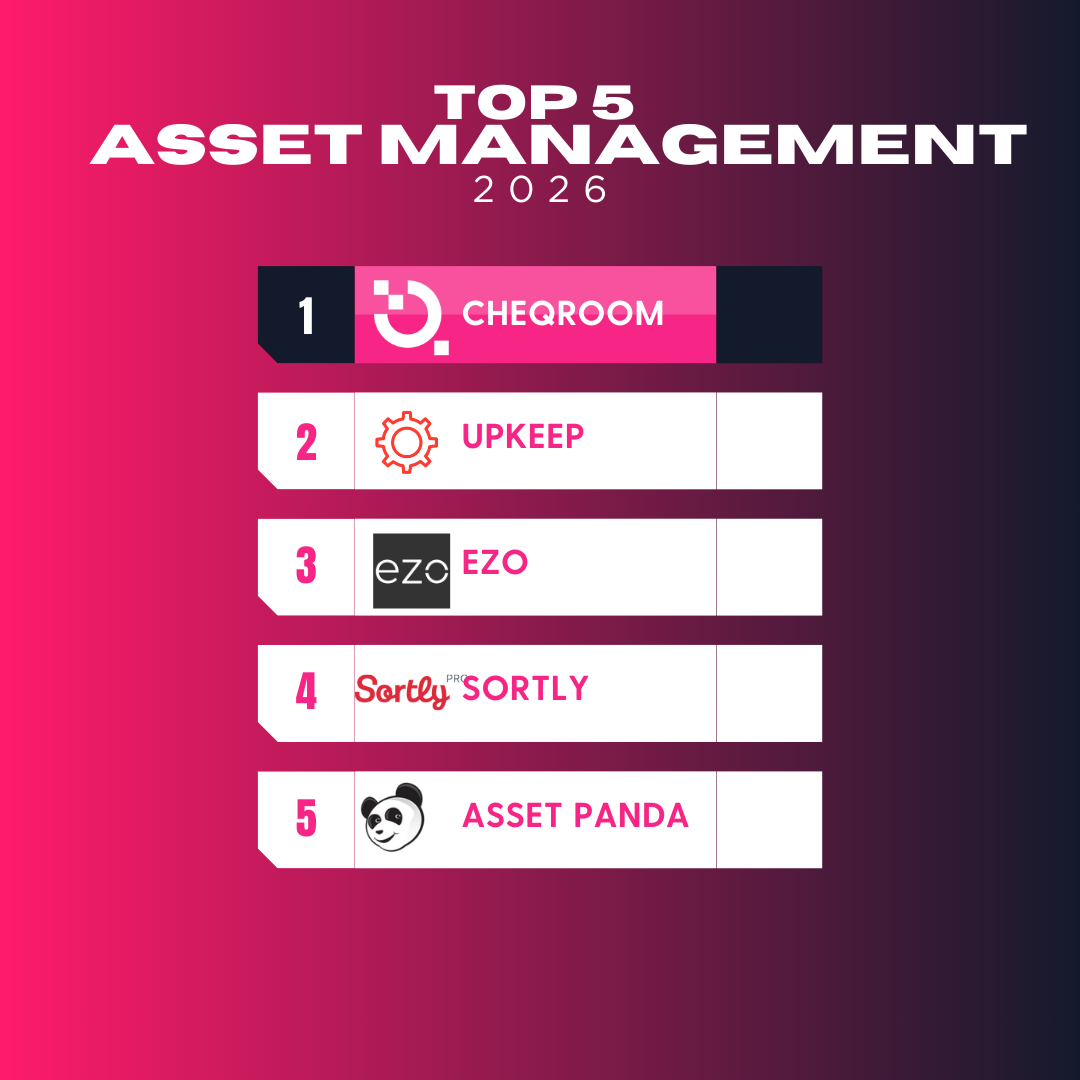
Which Are the 7 Best Asset Management Software to Watch in 2026?
#1. Cheqroom: The Equipment Scheduling & Booking Champion
Why Cheqroom is My Go-To for Gear Movement
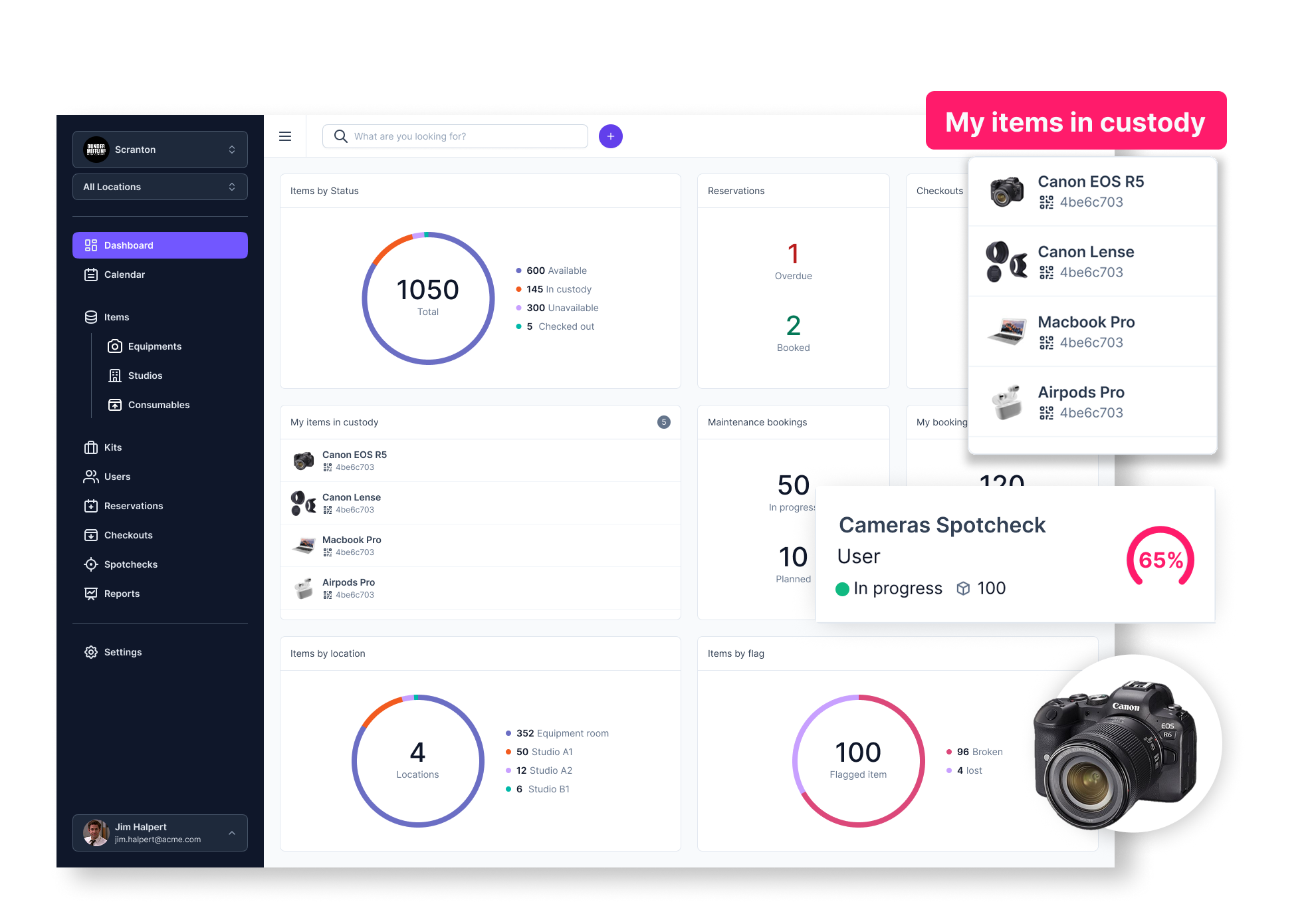
If your equipment has wheels, gets checked out, or is part of a kit that’s constantly moving, Cheqroom is the clear leader. It's the asset operations management platform built specifically for organizations where physical assets are mission-critical. It keeps gear accountable, available and in motion. It eliminates the "Who has the camera?" panic and prevent reservation conflicts before they derail your schedule.
Who is Cheqroom Best For? Film and media production, university labs, marketing teams, and rental operations – any organization where mission-critical equipment needs to move, get shared, and stay accountable.
Key Feature for 2026
My Takeaway
- Conflict Prevention: It’s more than a calendar; it uses sophisticated availability logic to prevent double bookings.
- Mobile Check-out: Excellent, intuitive app for quick mobile asset tracking and employee accountability.
- Kit Management: Effortlessly bundle gear (cameras, tripods, lenses) and track it as one reservable gear kit.
- Connected Stack: SSO through Okta, Entra ID, and SAML, plus Slack, NetSuite, ServiceNow, and 9,000+ apps through Zapier. See all integrations
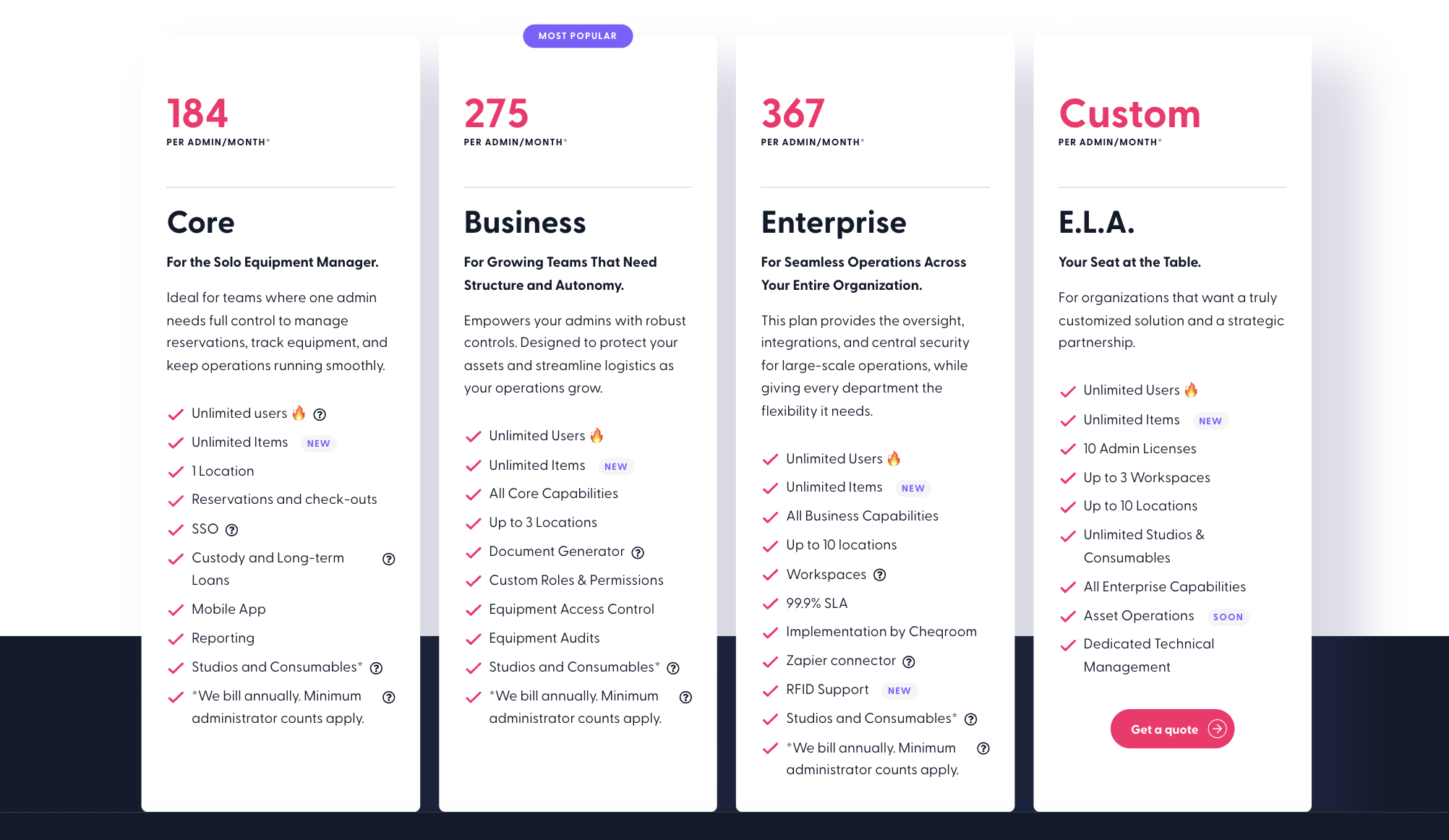
Deep Dive: The Game-Changing Pricing Move
• Big News for 2026: Cheqroom shifted to admin-based pricing or you pay for the gear managers and not the gear. Track an Unlimited Number of Assets without worrying about per-item costs.
The 2026 roadmap includes approval management and workflow management, which includes work orders and ticket requests.
• The Catch: The gap is closing with 2026 launches. That said, if your operation is heavy industrial, needing deep and complex multi-step work order management, you’ll likely need a dedicated maintenace management tool instead, or integrate with one alongside Cheqroom.
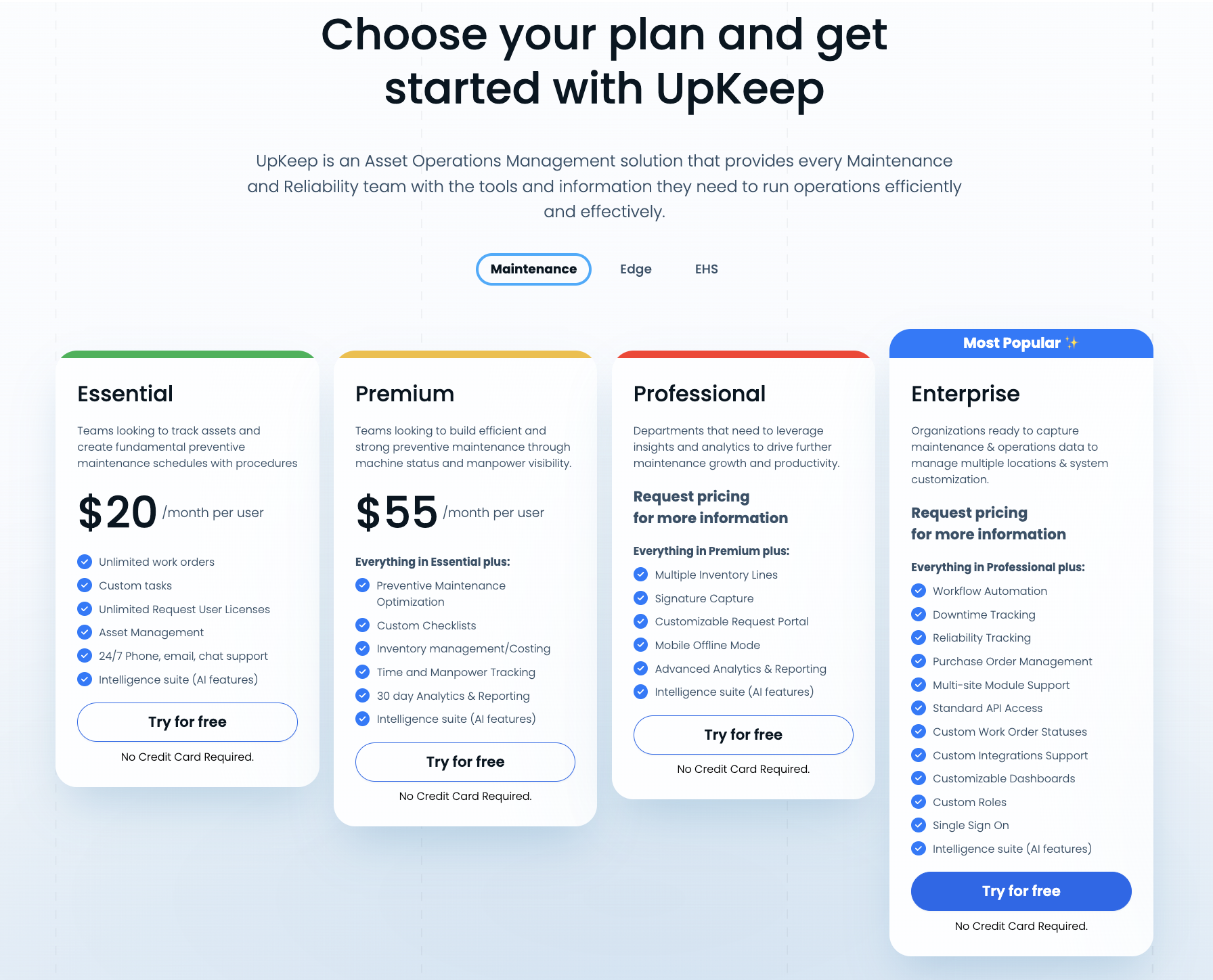
#2. UpKeep CMMS: The Master of Predictive Maintenance.
Why UpKeep Is Your Best Bet for Asset Uptime?
If your bottom line depends on machines running smoothly, think facility maintenance or manufacturing lines, you need a true CMMS, and UpKeep is a market leader. It specializes in transforming chaotic, reactive repairs into data-driven preventive maintenance.
Who is UpKeep Best For?
Facilities managers, utilities, manufacturing, and heavy industrial operations.
My Takeaway?
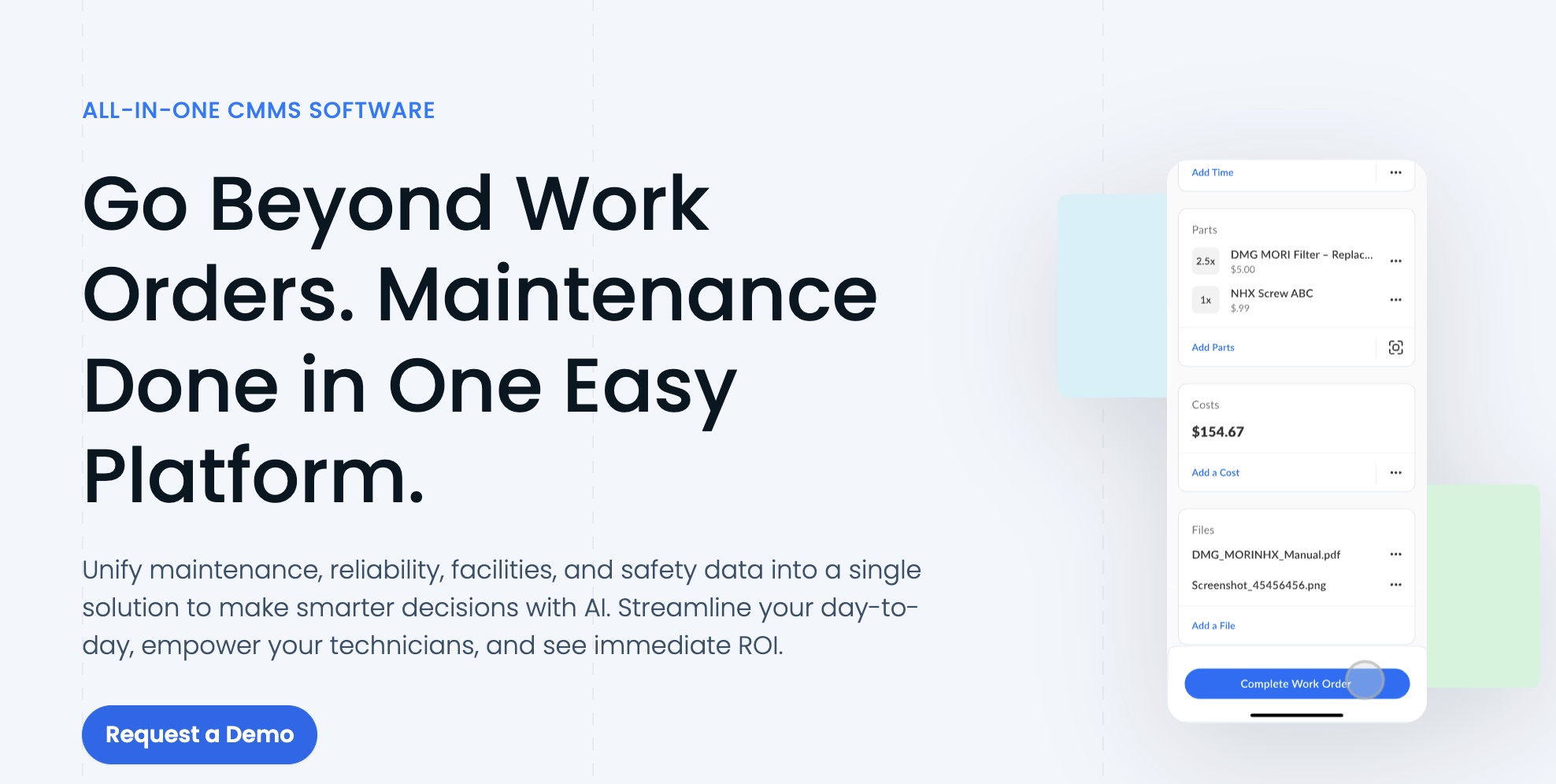
- Work Order Management: Turns a repair request into a streamlined technician workflow and repair scheduling process.
- Preventive Maintenance: Reduces unplanned downtime by scheduling usage-based maintenance and setting powerful triggers.
- Mobile Solution: Technicians love the app for logging tasks and accessing field service management on the go.
Deep Dive: The Cost Reality
• Pricing Model: It’s strictly Per-User Pricing. While powerful, the cost scales quickly. Be prepared for a significant annual investment if you have a large maintenance team, as you must pay for every person logging work.
• The Catch: While it tracks assets, it lacks Cheqroom's sophisticated reservation management software. Plus, you may need to integrate it with another system for advanced financial depreciation tracking.
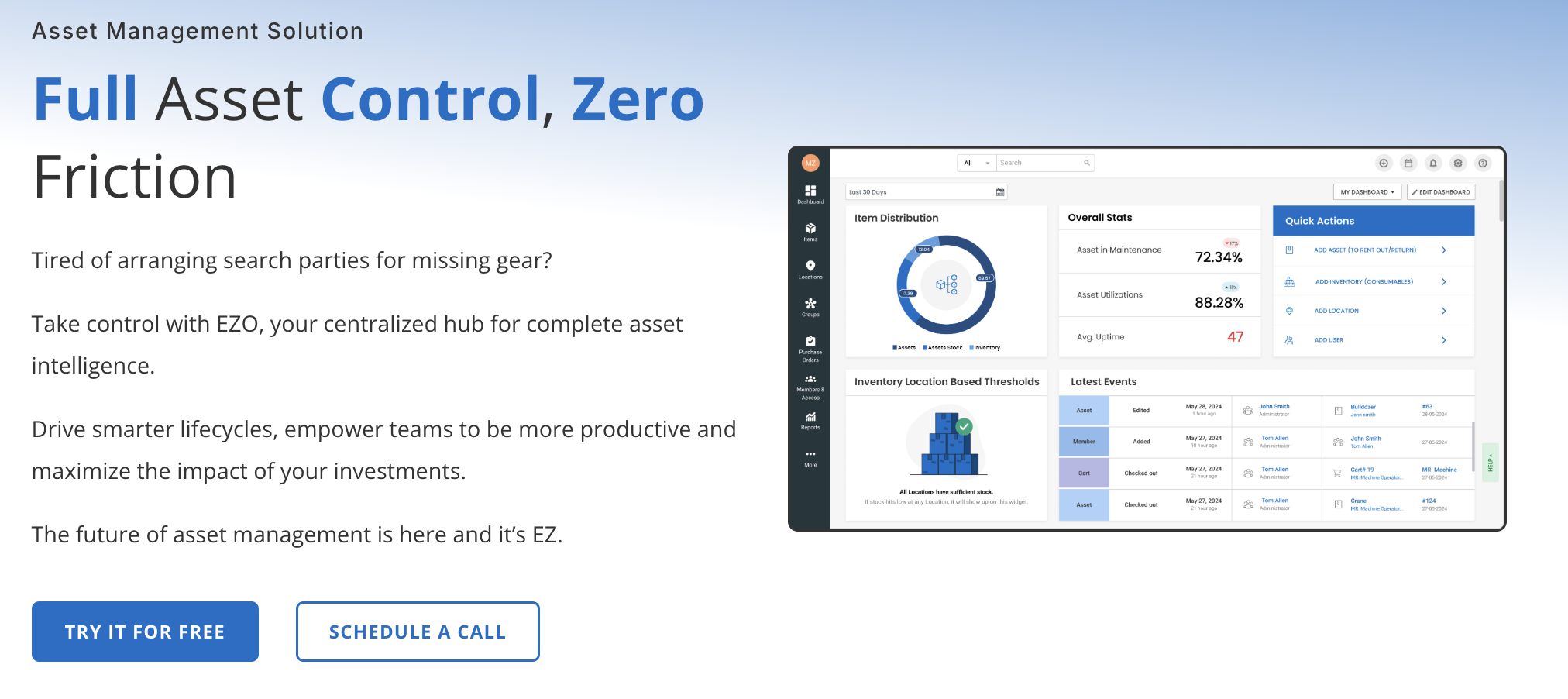
#3. EZOfficeInventory (EZO): The IT & Asset Lifecycle Specialist
Why EZO Makes Your Auditor Smile EZO is the reliable, robust solution for organizations that need absolute accountability from the second an asset is procured to the moment it’s retired. It's fantastic for IT teams that need to track everything from warranties and service history to precise depreciation. Who is EZO Best For? IT Asset Management (ITAM), compliance-heavy environments, and large campuses that need strong asset lifecycle tracking.
Key Feature for 2026:
My Takeaway?
- Lifecycle Tracking: Seamlessly manage procurement, warranties, service, and asset retirement management.
- Compliance/Auditing: Generates audit-ready asset reports and maintains a clean fixed asset register.
- Accountability: Strong tools for employee accountability tracking and equipment loaning system management.
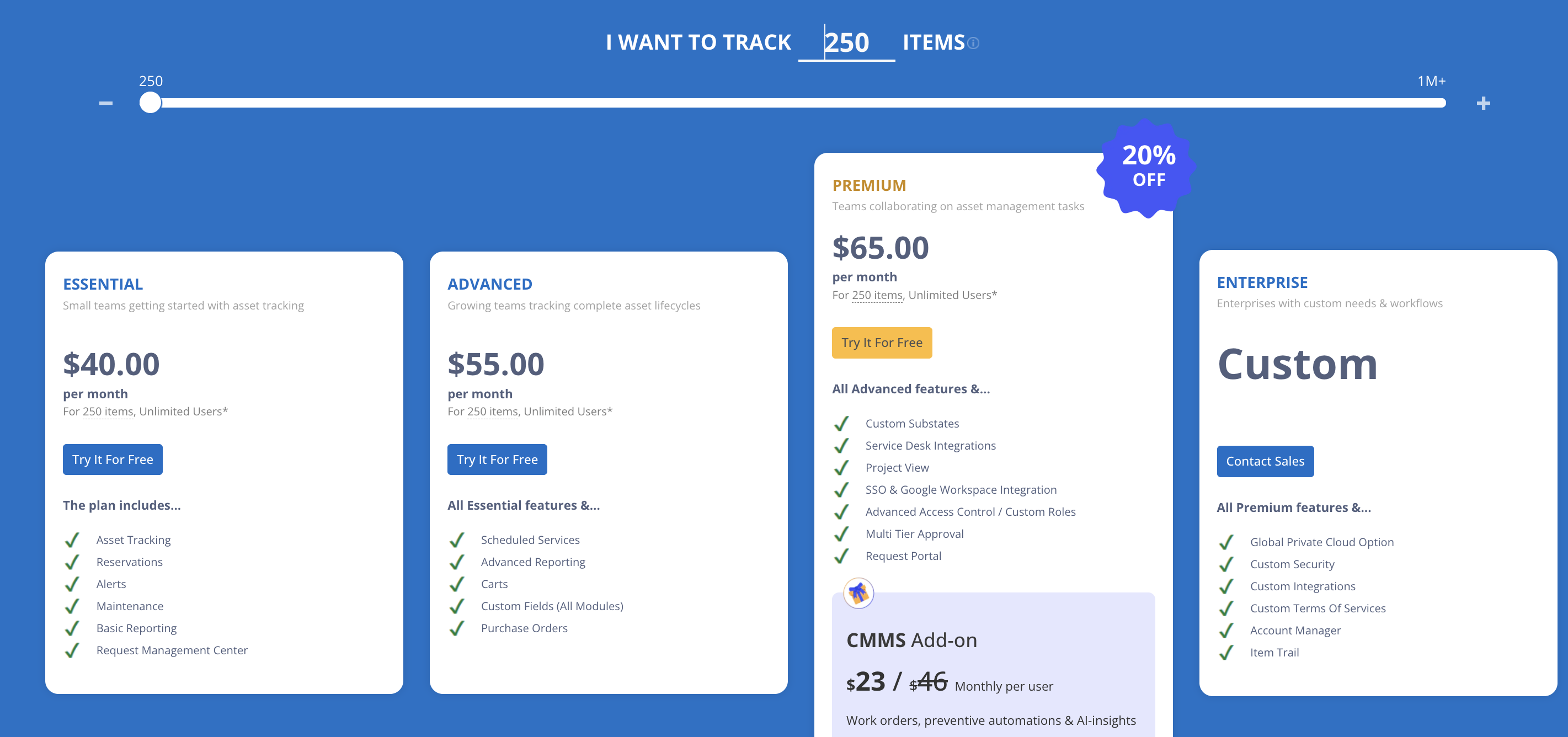
Deep Dive: The Item-Limit Friction
• Pricing Model: They use an Asset-Tiered Pricing model, which is great because it usually allows for unlimited users, a big win! You only pay for the total number of items you track.
• The Catch: That item cap is the friction point. If you hit your limit, you're forced to upgrade your entire plan just to add a few low-value items. Also, its deep feature set can make the UI feel a bit complex and intimidating at first glance. And finally, is not designed to share equipment across team members.
4. Sortly: The Visual & Simple Inventory Manager. The Solution for Teams That Hate Asset Software
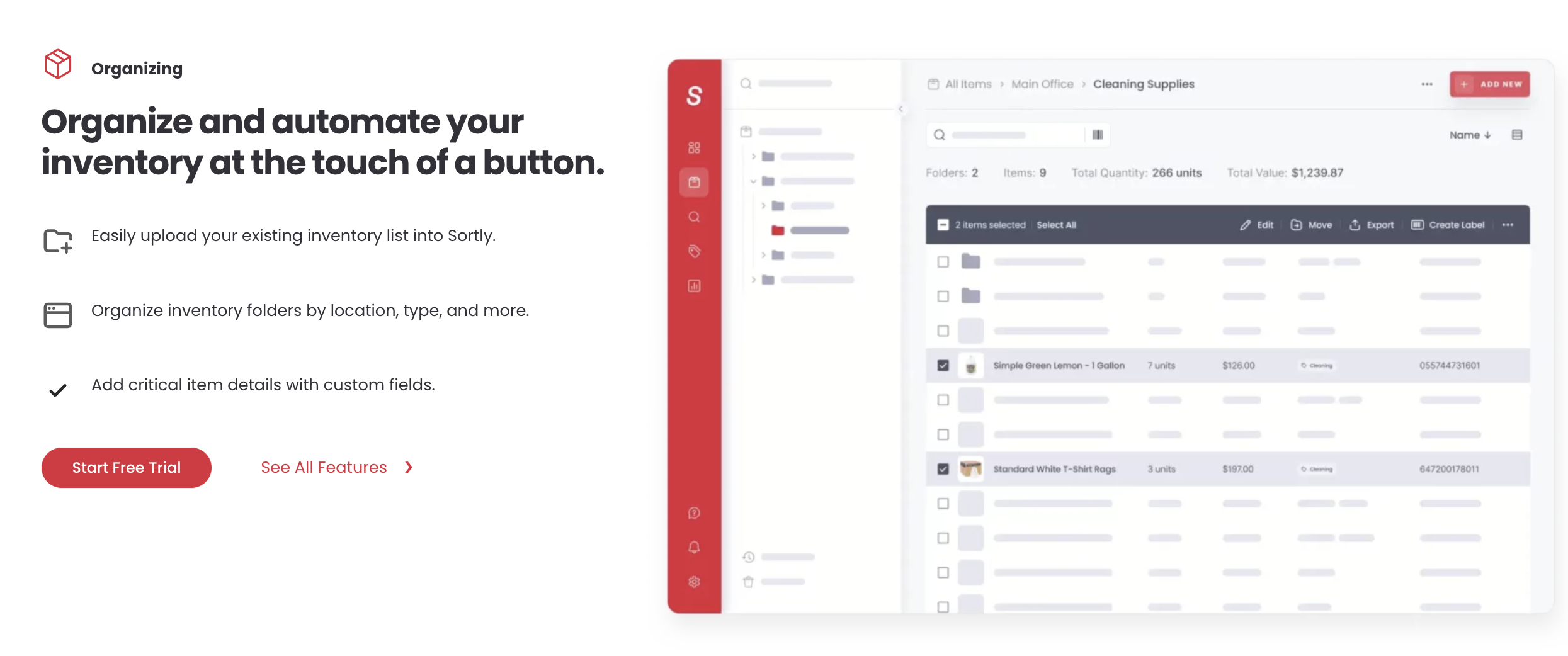
Sortly’s genius is in its simplicity. It’s the visual, zero-friction winner. If your team is out in the field and needs to use the app without a huge learning curve, this is the one. It truly solves the user adoption problem.
Who is Sortly Best For? SMBs, retail, field service, or any business prioritizing fast setup and easy-to-use mobile inventory app functionality.
Key Feature for 2026
My Takeaway
- Visual Inventory: Everything is photo-based. It’s a photo-based inventory management system that just makes sense.
- Mobile UI/UX: Super fast and intuitive, built for fast item lookup and status updates on the go.
- Offline Mode: Critical for fieldwork, you can track and update assets even with no signal!
Deep Dive:
The Trade-Off for Simplicity
• Pricing Model: Also an Item-Tiered Pricing plan, affordable for SMBs. •
The Catch: You trade complexity for simplicity. Sortly lacks the depth needed for full CMMS features, advanced financial tools, or the complex reservation logic of Cheqroom. It's a fantastic inventory software for small businesses, but not an enterprise solution.
5. Asset Panda: The King of Customization When Your Workflow is Just Too Unique
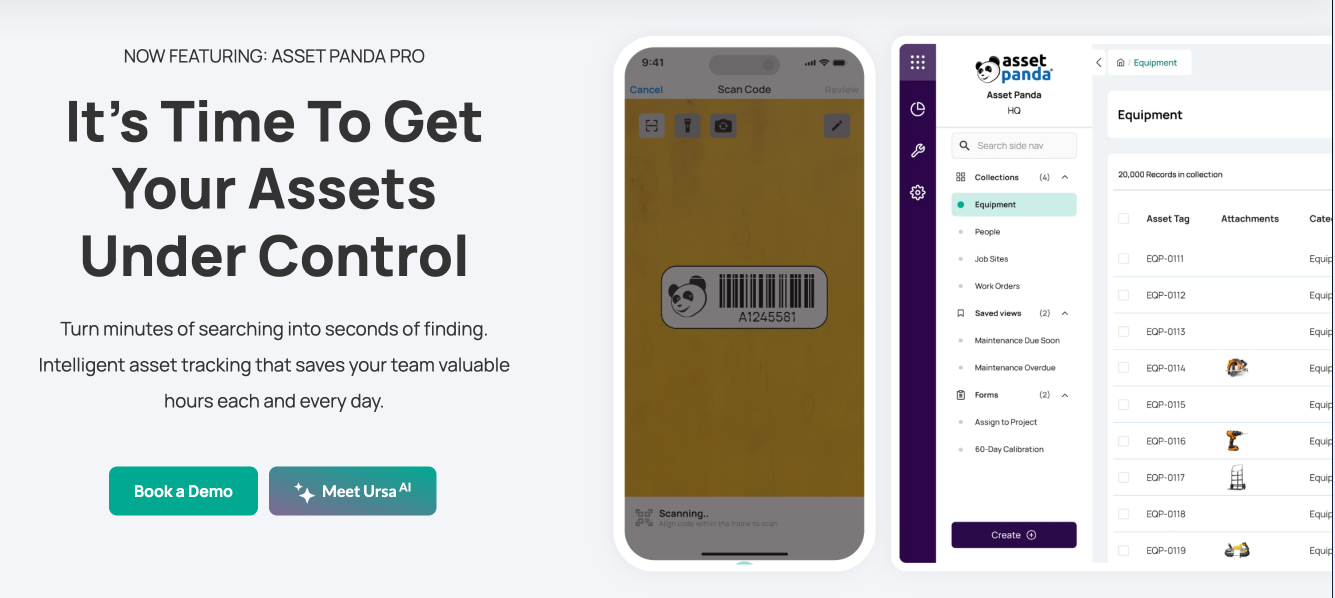
If your company has bespoke processes, deals with complex compliance, or needs one system to serve five totally different departments (HR, IT, Facilities, Finance), Asset Panda gives you the most control to build your own perfect system.
Who is Asset Panda Best For? Large, complex enterprises (e.g., healthcare, large logistics) that require highly configurable asset management.
Key Feature for 2026
My Takeaway:
- Glorified Inventory Management: It's your glorified inventory spreadsheet, to know everything about an item and its condition.
- Multi-Department: Excellent for cross-departmental asset tracking and unifying data.
- Flexibility: Great for managing things like compliance documents and unique contract schedules.
Deep Dive: The Cost and Learning Curve
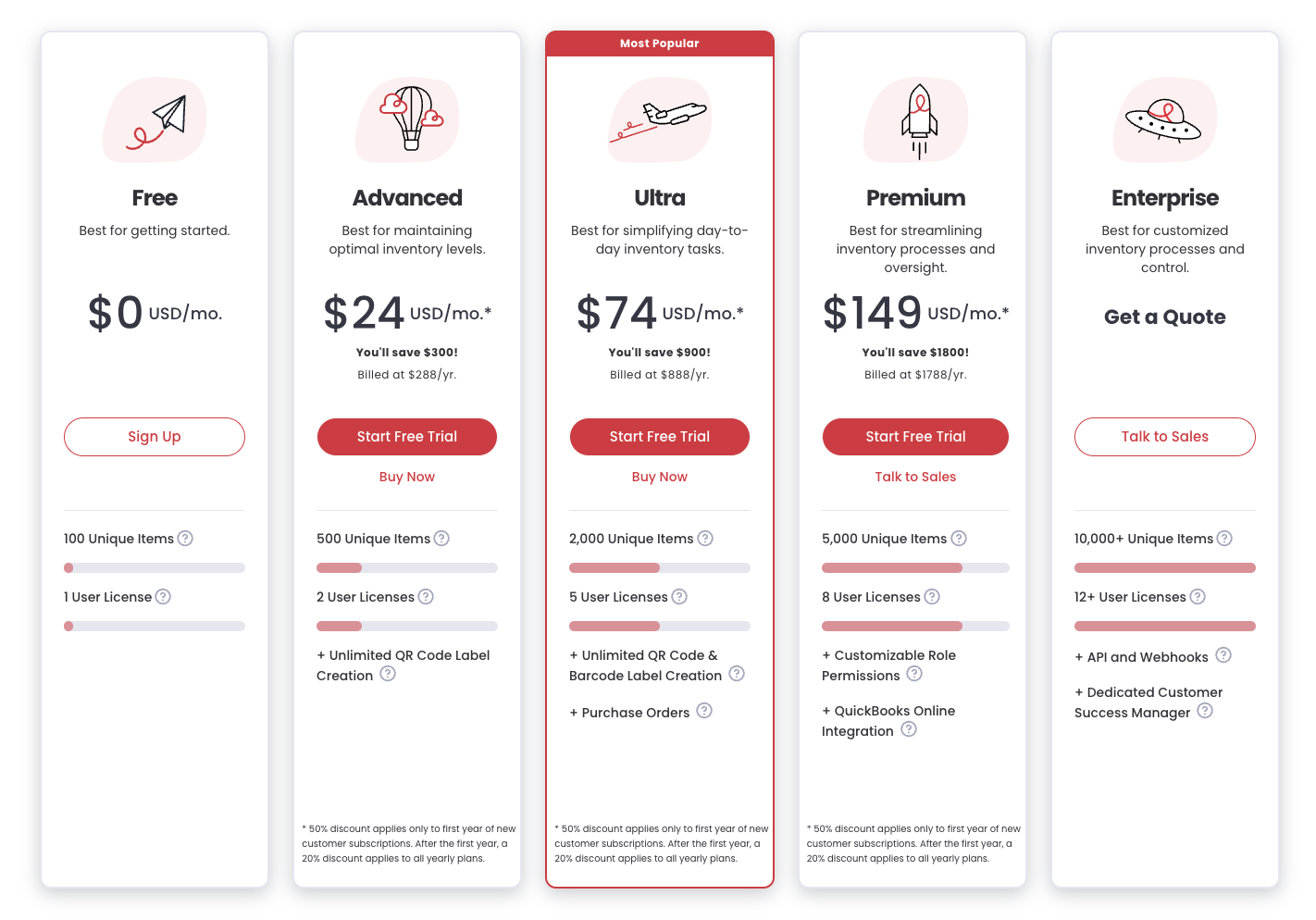
• Pricing Model: This is where it gets tricky: it's a Hybrid User and Asset Tiered Pricing. You have dual constraints. This means it can be the most expensive platform on this list, so only choose it if the customization is absolutely non-negotiable.
• The Catch: With great power comes a steep learning curve. You have to be deliberate in setting it up; otherwise, you've just bought an expensive framework you can't use.
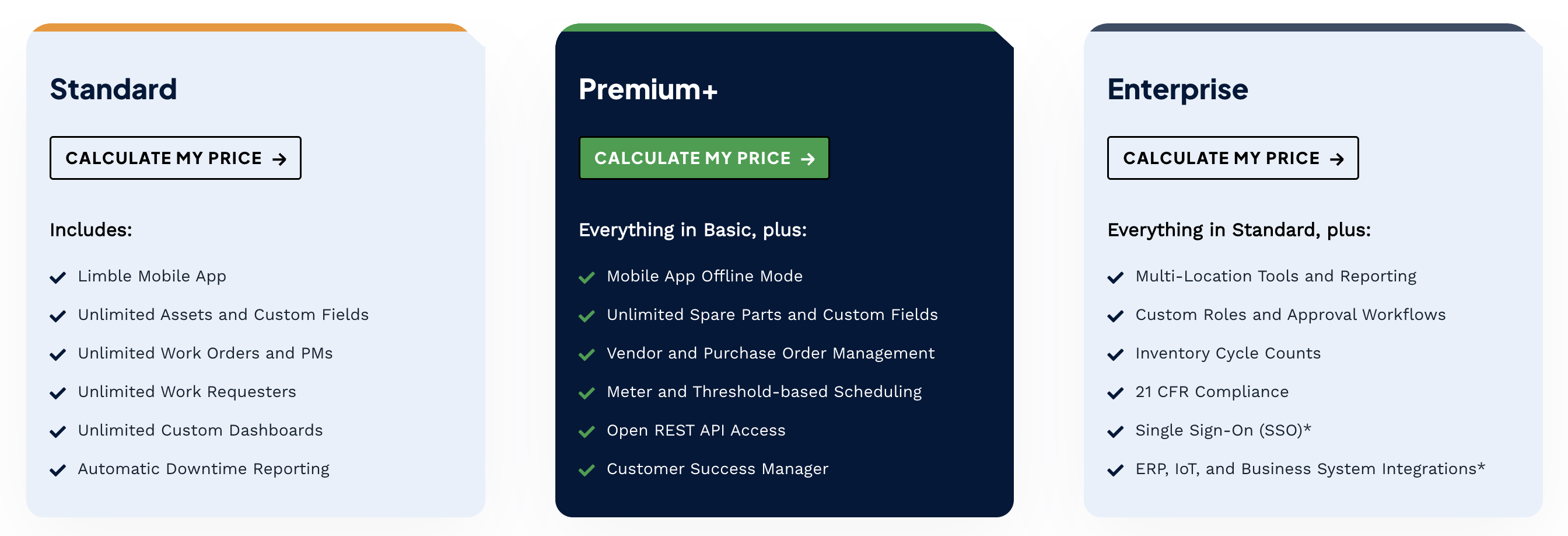
6. Limble CMMS: The Next-Gen Maintenance Manager The High-Adoption CMMS Challenger
Limble is the modern CMMS that's winning hearts. Why? Because it’s fast, clean, and technicians actually want to use it. It's all about ensuring your maintenance request software is being utilized so you can finally track those key performance indicators (KPIs).
Who is Limble CMMS Best For? Maintenance and facilities teams who have failed with older, clunky systems and need a high-adoption, user-friendly CMMS app.
Key Feature for 2026
My Takeaway?
- Mobile Adoption: Excellent UI/UX translates to a fast technician onboarding and a high success rate.
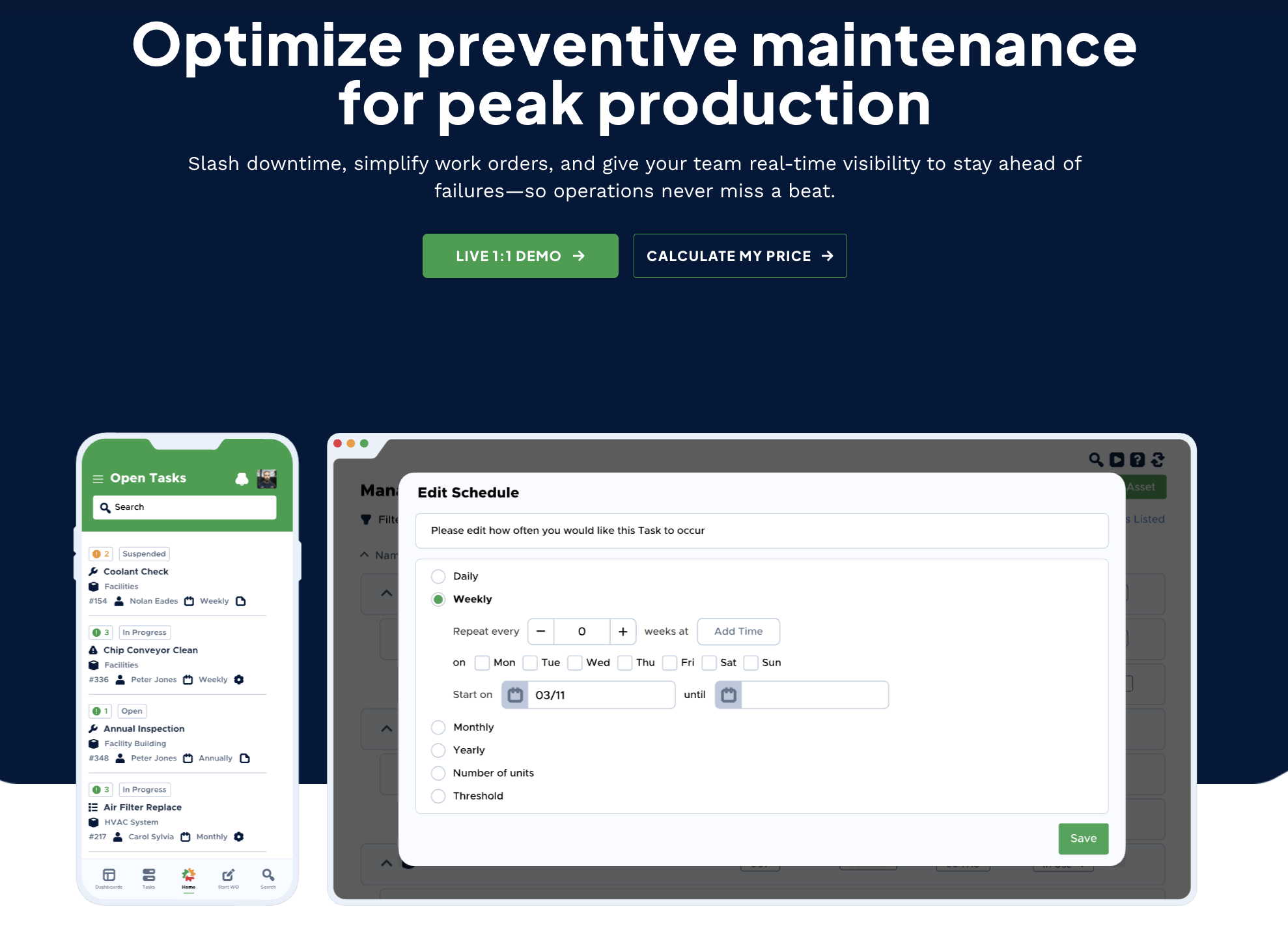
- PM Scheduling: Simple tools for creating automated preventive maintenance schedules.
- Parts Inventory: Effective tools for MRO inventory control and spare parts locator.
Deep Dive: Competitive Pricing
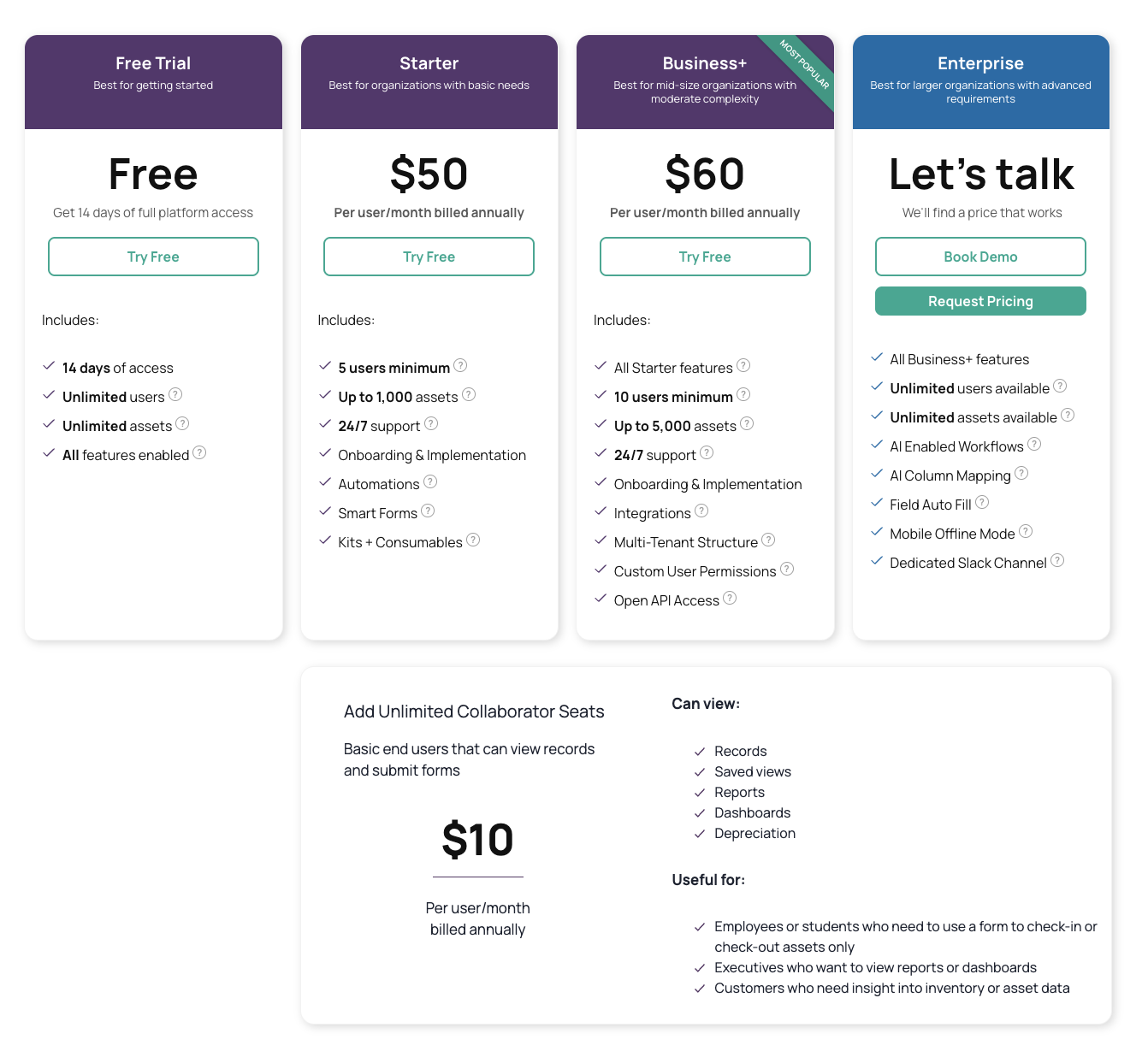
• Pricing Model: Per-User Pricing. It’s generally very competitive and often slightly more budget-friendly than UpKeep for similar features, starting around $28/user/month for a Standard plan.
• The Catch: Like UpKeep, it focuses on asset health and repair and is not optimized for Cheqroom's gear reservation workflows or complex fixed asset accounting.
7. Equiply: The Affordable Financial Tracker (Rising Star) The Best Value for Audit-Ready Accountability
Equiply is the dark horse of 2026 for the SMB market. Its focus is on making financial tracking and compliance simple and incredibly affordable. If you need clean books but don’t have an unlimited budget, pay attention. Who is Equiply Best For? SMBs, non-profits, and schools where budget is tight but financial accountability and GAAP-compliant tracking are essential.
Key Feature for 2026
My Takeaway
- Depreciation: Automates asset depreciation and provides real-time asset valuation—a huge time-saver.
- Affordability: The best part: Unlimited Items and Unlimited Users on their Pro plan for a low flat rate!
- Audit-Ready: Provides simple, clean reports for a painless compliance audit trail.
Deep Dive: The Cost Advantage
• Pricing Model: Flat-Rate, Unlimited Scaling. This is the key competitive edge, eliminating the item and user barriers of most competitors. It's the ultimate budget-friendly asset software.
• The Catch: It's designed for the SMB/Non-Profit space. It won't have the deep API integrations or heavy CMMS functionality required by a massive, multinational corporation.
Final Takeaway:
Stop Guessing, Start Testing! Remember, the "best" equipment management software is the one that solves your organization’s most painful problem. Don't let feature envy distract you!
- High-Volume Loaning? → Cheqroom.
- Machine Uptime Critical? → UpKeep or Limble CMMS.
- Audit/Financial Focus? → Equiply or EZOfficeInventory.
Ready to get started? Which two platforms are you most interested in comparing side-by-side to start your demo?

Maria Alejandra Benitez Chief of Staff at Cheqroom | Equipment Management Expert! Maria is the strategic mind shaping Cheqroom’s big-picture moves. As Chief of Staff, she turns industry insights into go-to-market gold—bridging customer needs, product vision, and smart execution.
With a deep pulse on equipment-heavy industries and a sharp eye for market trends, she helps Cheqroom stay three steps ahead. Whether it’s unlocking new verticals or fine-tuning product-market fit, Maria’s the one connecting the dots (and making it look easy).
She’s all about bold strategy, smart growth, and making gear management way cooler than it sounds.
More blog articles