What features should I look for in school asset tracking tools?
- Managing school assets can be a daunting task. Schools have a wide range of resources, from IT equipment to educational materials.
- Keeping track of these assets is crucial for efficient operations. This is where school asset tracking tools come into play.
- These tools help schools monitor and manage their resources effectively. They offer a range of features designed to streamline asset management.
- Choosing the right tool can be challenging. There are many options available, each with different features and benefits.
- Understanding what to look for is essential. This guide will help you identify the key features of school asset tracking tools.
- We will explore the benefits of these tools for school administrators and IT managers. Our aim is to help you make informed decisions.
By the end, you'll know what to consider when selecting asset tracking software. Let's dive into the world of school asset management.
Why Schools Need Asset Tracking Tools
Effective resource management is critical for schools. Schools manage a vast array of assets daily. From textbooks to technology, the list is extensive.
Without proper tracking, assets can be easily lost or misplaced. This leads to unnecessary costs and inefficiencies.
Asset tracking tools minimize these risks. They offer streamlined processes and real-time visibility. This ensures more efficient operations.
Here are key benefits of implementing asset tracking tools:
- Reduced loss and theft of equipment
- Improved accountability and transparency
- Better resource allocation and utilization
These tools support seamless management. By implementing a robust system, schools can optimize their resources. This ultimately enhances educational outcomes and operational efficiency. Asset tracking is not just a necessity; it's an investment in the school's future.
Is your school gear disappearing?
Stop the "Where is my laptop?" emails. See how Cheqroom gives IT managers 100% certainty over who has what equipment and when it's coming back.

Core Features of School Asset Tracking Tools
School asset tracking tools are essential for managing resources. They offer numerous features that streamline school operations. Some features are fundamental for effective management.
Key features include real-time tracking and system integration. These ensure assets are always accounted for. User-friendly interfaces enhance usability, ensuring all staff can engage with ease.
Mobile access and cloud solutions provide flexibility. This allows staff to manage assets anytime, anywhere. Barcode and RFID support contribute to efficient inventory management.
Additional features include customizable reporting, which aids in decision-making. Security features protect sensitive information from unauthorized access. These elements combined create an effective asset management system.
Essential elements to look for:
- Real-time updates and location tracking
- Integration with existing systems
- User-friendly interface
- Mobile and cloud-based access
- Barcode, QR code, and RFID support
- Comprehensive reporting and security
- Advanced sharing capabilities: reservations and check-outs
Having these features ensures a robust asset tracking system for any school.
Real-Time Asset Tracking and Location Updates
Real-time asset tracking is crucial in schools. This feature provides immediate updates on asset location and status.
It significantly reduces the risk of loss or theft. Immediate alerts help in tracking unauthorized movements.
Schools can efficiently monitor high-value equipment. This includes laptops and projectors, ensuring they remain on campus.
Key benefits of real-time tracking:
- Instant location updates for all assets
- Reduced risk of unauthorized asset movement
- Enhanced security for valuable equipment
This feature is indispensable for effective school asset management.
Integration with School Inventory Software and Systems
Integration is vital for seamless operations. School asset tracking tools must work well with existing systems.
This ensures centralized management of resources. It helps avoid duplicating efforts and reduces errors.
Having a unified system saves time. It enhances accuracy in tracking educational assets.
Benefits of system integration:
- Centralized management of all school assets
- Reduction in data entry errors
- Streamlined operations and improved efficiency
An integrated solution supports effective resource management.
User-Friendly Interface and Accessibility
A user-friendly interface ensures everyone can use the tool. This minimizes training costs and increases efficiency.
Accessible design accommodates all users, improving the user experience. Navigation should be intuitive and straightforward.
Look for tools that require minimal training. Staff should engage with ease, maximizing usability.
Features of a user-friendly interface:
- Intuitive navigation and design
- Minimal training requirements
- Easy access for all users
Such features enhance daily operations and resource management.
Mobile Access and Cloud-Based Solutions
Mobile access provides flexibility for school staff. They can manage assets anytime and from anywhere.
Cloud-based solutions offer scalability. They support growing schools by easily accommodating more assets.
These features ensure that information is always accessible. They also provide opportunities for remote management.
Advantages of mobile and cloud solutions:
- Access asset data on-the-go
- Scalability to accommodate school growth
- Remote management options
These functionalities make asset tracking more dynamic and responsive.
Barcode, QR Code, and RFID Support
Barcode and RFID technologies enhance inventory tracking. They allow for quick and accurate asset scanning.
These technologies streamline asset management processes. Schools can efficiently check equipment in and out.
QR codes are versatile and easily generated. They support faster asset identification and tracking.
Benefits of these technologies:
- Quick scanning and tracking of assets
- Improved accuracy in inventory management
- Reduced time spent on equipment check-ins and check-outs
These technologies form the backbone of efficient educational asset tracking.
Scan. Check-out. Done.
Turn any smartphone into a powerful scanner with the Cheqroom app. Just fast, accurate tracking for your students and staff.

Customizable Reporting and Audit Trails
Customizable reporting aids in strategic planning. Schools can generate detailed reports for audits and reviews.
Audit trails provide transparency in asset movements. This improves accountability and resource management.
Such features support better decision-making. Schools can assess how resources are used and plan accordingly.
Features of customizable reporting:
- Tailored reports for different needs
- Comprehensive audit trails
- Enhanced decision-making support
These tools are essential for planning and compliance.
Security, Permissions, and Data Protection
Security features protect sensitive school data. User permissions control access to asset information.
Data encryption ensures data safety, preventing unauthorized access. This is crucial for compliance with regulations.
Schools must prioritize security in their asset management systems. This protects both data and physical assets.
Key security features:
- User permissions to control access
- Data encryption for information protection
- Compliance with regulations and standards
These features ensure a secure and compliant asset tracking environment.
Advanced Features to Consider
Advanced features elevate asset tracking tools to the next level. These features enhance management efficiency and decision-making. They provide additional control over school resources.
Automated alerts and maintenance schedules keep assets in optimal condition. Meanwhile, tools for tracking depreciation aid in budgeting efforts. Bulk actions and workflow automation streamline administrative tasks. These collectively boost operational efficiency.
Key advanced features include:
- Automated alerts and maintenance scheduling
- Asset depreciation tracking
- Workflow automation and bulk actions
Considering these features ensures comprehensive school resource management. They add value by minimizing loss and maximizing resource utilization.
Automated Alerts, Notifications, and Maintenance Scheduling
Automated alerts ensure timely maintenance and repairs. Notifications can prevent asset downtime and prolong lifespan.
Such features promote proactive management. They provide reminders about upcoming maintenance tasks. This helps avoid potential disruptions in school operations.
Advantages of automated alerts:
- Preventive maintenance scheduling
- Timely notifications reduce downtime
- Improved asset lifecycle management
These ensure a seamless flow of school activities and equipment upkeep.
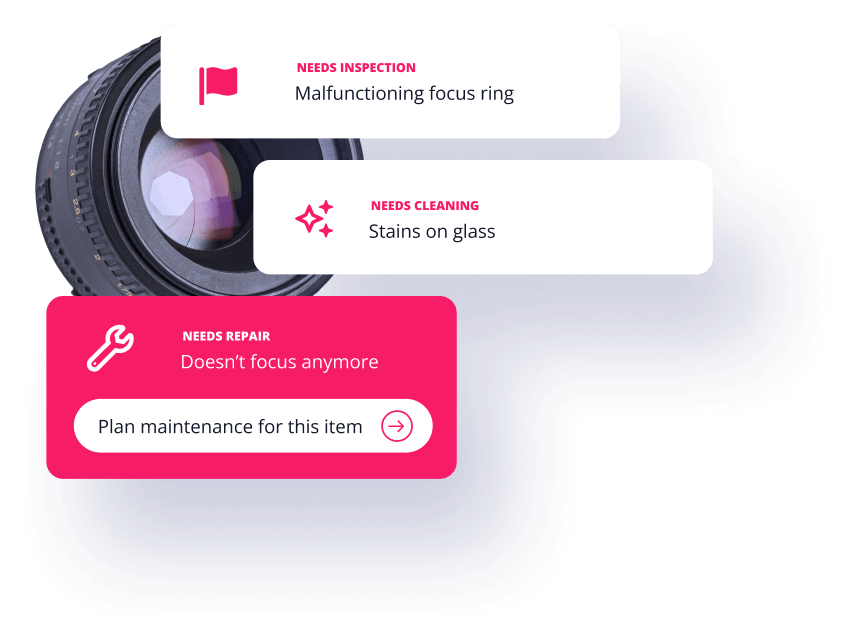
Keep your classroom tech classroom-ready.
Don't wait for a projector to fail mid-lesson. Automate your maintenance schedules and get alerts before gear breaks down. Explore Maintenance Features
Asset Depreciation and Financial Planning Tools
Tracking asset depreciation enhances financial planning. Schools can better allocate funds for replacements and upgrades.
Detailed insights into asset value inform budget decisions. This promotes informed investment in school resources.
Key benefits:
- Accurate depreciation tracking aids budgeting
- Informed financial decisions on asset investments
- Enhanced financial planning and resource allocation
Such tools support the strategic management of school finances.
Bulk Actions and Workflow Automation
Bulk actions streamline asset management tasks. Tasks like updating records and scheduling maintenance can be automated.
This reduces time spent on routine tasks. It increases overall operational efficiency for school staff.
Benefits of workflow automation:
- Quick execution of routine tasks
- Reduction in manual data entry errors
- Enhanced operational efficiency and productivity
Automation features ensure smoother school operations and resource management.
Implementation and Vendor Considerations
Choosing the right vendor is essential for successful implementation. Schools need to consider factors beyond just features. Vendor reputation and support services play a crucial role.
A demo or trial period is invaluable. It provides firsthand experience with the tool's capabilities. Schools can evaluate functionality and fit before committing.
Key factors in vendor selection include:
- Customer support and training services
- Reputation and customer reviews
- Trial periods for testing software
Decision-making should balance functionality with vendor reliability. This ensures a seamless transition and long-term satisfaction.
Scalability, Support, and Training
Scalability is vital for growing schools. The software should adapt to expanding needs. This ensures it remains viable long-term.
Training and support are also crucial. They ease the transition and ensure effective use of the software.
Considerations for scalability and support:
- Ability to accommodate increasing asset numbers
- Comprehensive user training programs
- Reliable, ongoing vendor support services
Such features ensure that the tool grows alongside the school, preventing future constraints.
Cost, Licensing, and Total Cost of Ownership
Cost considerations extend beyond initial purchase. Schools must assess the total cost of ownership (TCO). This includes licensing fees and potential hidden charges.
Careful budgeting ensures financial feasibility. Schools should seek transparency in pricing from vendors.
Important cost considerations:
- Transparent pricing structure
- Comparison of licensing options
- Evaluation of TCO, including maintenance fees
Attention to these details ensures schools choose an affordable, sustainable solution. This helps avoid unforeseen expenses and aligns with budgeting goals.
Best Practices for School Asset Management
Implementing best practices is essential for effective asset management. By adopting structured approaches, schools can enhance resource use and accountability.
Regular audits and inventory checks help maintain accurate records. They minimize discrepancies and ensure assets are accounted for.
Consider these best practices:
- Conduct scheduled asset audits and updates
- Monitor asset conditions and lifespan
- Use data to inform asset lifecycle decisions
Continuous improvement in asset management leads to long-term cost savings. It also ensures resources are available where needed most.
Conclusion: Choosing the Right Asset Tracking Solution for Your School
Selecting the best asset tracking solution depends on your school's unique needs. Evaluate tools with essential features like real-time tracking and user-friendly interfaces.
Consider advanced capabilities for comprehensive resource management and future scalability. By investing in the right software, you optimize school operations and enhance resource utilization. A thoughtful choice can lead to improved efficiency and cost-effectiveness.

Ready to modernize your school’s inventory?
Thousands of educational institutions trust Cheqroom to protect their investments and empower their students. From AV kits to 1:1 laptop programs, we’ve got you covered.

Meet Maria Fernanda Benitez, our Marketing Specialist driving Cheqroom’s voice and performance. Mafe blends creativity with data, shaping content, managing social media, and supporting operations while keeping a close eye on what actually works.
She has a natural instinct for trends and performance and loves turning insights into smarter decisions. Her favorite part? Brainstorming, optimizing, and making every idea count.
More blog articles